

TL;DR:
- Most ecommerce stores have checkout completion rates below 40%.
- Key factors like page speed, mobile experience, trust signals, and frictionless checkout drive conversions.
- Continuous testing and iteration are essential for long-term ecommerce growth.
Most ecommerce stores are quietly bleeding revenue at checkout. Checkout completion rates average just 20–40%, meaning up to 80% of shoppers who reach checkout never finish buying. That’s not a traffic problem. It’s a conversion problem. The good news: optimized website design combined with smart automation tools like Klaviyo can reverse this trend fast. This guide walks you through exactly how to build a high-converting ecommerce site, from understanding what drives conversions to measuring results and scaling what works.
Table of Contents
- Understand what drives conversions
- Essential tools and website requirements
- Step-by-step: Building your high-converting website
- Verify results and optimize for ongoing growth
- What most ecommerce guides miss about conversion
- Scale your conversions with expert help
- Frequently asked questions
Key Takeaways
| Point | Details |
|---|---|
| Conversions drive sales | Even small improvements in your site’s conversion rate can dramatically increase revenue. |
| Plan and prepare | Proper setup of tools, analytics, and automations is essential before optimizing your site. |
| Follow a proven process | Step-by-step execution ensures every change supports the goal of higher conversions. |
| Continuous improvement matters | Ongoing data analysis and user testing are critical for maintaining high performance. |
Understand what drives conversions
A conversion rate tells you what percentage of visitors take a desired action, usually completing a purchase. For ecommerce, a strong checkout completion rate sits above 40%. Most stores fall short, averaging between 20% and 40%, which means checkout abandonment is costing brands real money every single day.
So what separates a high-converting site from a mediocre one? It comes down to a handful of core levers. When you start optimizing your online store, the biggest gains usually come from fixing the fundamentals: page speed, mobile experience, trust signals, and clear calls-to-action. Shoppers abandon sites that feel slow, confusing, or untrustworthy.
Here are the primary conversion drivers every ecommerce store needs to nail:
- Page speed: A one-second delay can drop conversions significantly. Fast loading is non-negotiable.
- Mobile experience: More than half of ecommerce traffic comes from mobile devices. Your site must work flawlessly on smaller screens.
- Trust signals: Reviews, security badges, clear return policies, and recognizable payment icons all reduce hesitation.
- Clear CTAs: Shoppers need to know exactly what to do next. Vague or buried buttons kill momentum.
- Simple navigation: If visitors can’t find what they want in seconds, they leave.
- Frictionless checkout: Every extra form field, account creation requirement, or confusing step costs you completions.
| Key feature | Impact on conversion | Priority |
|---|---|---|
| Page speed | High | Critical |
| Mobile optimization | High | Critical |
| Trust signals | Medium-High | High |
| Clear CTAs | High | Critical |
| Streamlined checkout | Very High | Critical |
| Easy navigation | Medium | High |
Applying conversion optimization strategies systematically, rather than randomly tweaking things, is what separates brands that grow from those that plateau.
Pro Tip: Start with above-the-fold elements on your homepage and product pages. These are what shoppers see first, and improving them gives you the fastest measurable lift before you dig into deeper structural changes.
Essential tools and website requirements
With a clear understanding of conversion drivers, let’s look at the tools and technical foundations you’ll need before touching a single design element.
First, your site needs to meet baseline technical standards. SSL certification (the padlock in the browser bar) is mandatory. Google flags non-SSL sites as insecure, and shoppers will bounce immediately. Your site also needs to be fully mobile responsive, load within three seconds, and run on clean, lightweight code. Bloated themes and unnecessary plugins quietly destroy performance.
Next, you need the right tools in place. Without them, you’re flying blind. Your ecommerce optimization guide should always start with establishing your analytics stack before making any changes, so you have a baseline to measure against.
| Tool/Requirement | Description | Why needed | Typical providers |
|---|---|---|---|
| Ecommerce platform | Hosts your store and manages products | Foundation for all operations | Shopify, WooCommerce, BigCommerce |
| Analytics | Tracks visitor behavior and conversion funnels | Identifies drop-off points | Google Analytics, Triple Whale |
| Email automation | Automates customer journeys and recovery flows | Recovers lost sales, drives repeat purchase | Klaviyo |
| Payment processing | Secure, fast checkout options | Reduces friction at purchase | Stripe, PayPal, Shop Pay |
| Heatmap/session tools | Records how users interact with your pages | Reveals UX problems analytics miss | Hotjar, Microsoft Clarity |
| Shipping integration | Real-time shipping rates and tracking | Reduces checkout confusion | ShipStation, EasyPost |
Here are the must-have integrations for any serious ecommerce store:
- Email marketing automation (Klaviyo is the gold standard for ecommerce)
- Payment processors that support one-click checkout options
- Shipping rate calculators visible before the final checkout step
- Review platforms connected to your product pages
- Analytics with event tracking set up for add-to-cart and checkout steps
Here’s what most brands skip: setting up proper conversion tracking before making any changes. If you don’t know your current checkout completion rate, you have no way to know if your optimizations are actually working. Establish your baseline first, always.
As your store scales, your tool requirements grow. Basic analytics won’t cut it. You’ll need advanced Klaviyo flows, segmentation, and predictive analytics to keep performance gains compounding.
Step-by-step: Building your high-converting website
Once your toolkit is ready, follow these practical steps to build your high-converting website.
-
Wireframe your key pages. Start with homepage, collection pages, product pages, cart, and checkout. Map the user journey before designing anything. Know what action you want on each page.
-
Craft a clear value proposition. Every key page needs to answer “why buy from us?” within seconds. Reference website design best practices to make sure your headline, hero image, and CTA work together to communicate unique value immediately.
-
Implement speed-optimized layouts. Compress images, use lazy loading, minimize JavaScript, and choose a performance-tested theme. Speed is conversion. Treat it that way.
-
Add trust elements throughout. Don’t cluster all your trust signals on one page. Place security badges near your checkout button, customer reviews on product pages, and a clear return policy in your site header or footer.
-
Set up conversion tracking. Before you go live, confirm that Google Analytics (or your chosen platform) is tracking add-to-cart events, checkout initiations, and purchase completions. You need granular funnel data.
-
Audit and simplify your checkout flow. This is where optimizing checkout specifically pays off most. Remove unnecessary form fields, offer guest checkout, and display progress indicators. The average abandonment rate sits between 60% and 80%, and checkout friction is a primary cause.
-
Integrate Klaviyo email flows. Connect Klaviyo before launch so abandoned cart sequences, welcome flows, and post-purchase emails fire automatically from day one. These flows directly support your overall conversion rate by bringing hesitant shoppers back.
Common mistakes to avoid during the build: cluttered product pages with too many competing CTAs, requiring account creation before purchase, hiding shipping costs until the final checkout step, and ignoring mobile testing entirely. Use these conversion rate tips to keep your build focused on what actually moves the needle.
Pro Tip: Before launching, test your full purchase flow on at least three different mobile devices and two desktop browsers. Bugs in the checkout experience are invisible to you but devastating to your completion rate.

Verify results and optimize for ongoing growth
You’ve launched your site, but optimization doesn’t stop here. Here’s how you close the loop and ensure continued growth.
Start by tracking these essential metrics every week:
- Checkout completion rate: Your core benchmark. Aim above 40% as a starting goal.
- Average order value (AOV): Are upsells and bundles working?
- Bounce rate by page: High bounce on product pages signals a UX or messaging problem.
- Cart abandonment rate: What percentage of shoppers add items but don’t complete purchase?
- Email click-through and conversion rates: How effectively are your Klaviyo flows driving return visits?
Realistic benchmarks matter here. A checkout completion rate above 40% is considered strong. Most stores sit between 20% and 40%. If you’re below 20%, something fundamental is broken and needs immediate attention.
The brands that consistently outperform their competitors don’t just launch well-designed sites. They build a culture of relentless testing. Every element of your site is a hypothesis. Measure it, challenge it, and improve it on a defined cycle.
The optimization cycle looks like this: measure what’s happening, analyze why it’s happening, make one targeted change, then measure again. Never change multiple elements at once, or you won’t know what actually made the difference.
A/B testing is your most reliable tool for conversion rate optimization. Test one variable at a time, from headline copy to button color to checkout button placement. Small, consistent wins compound into significant revenue gains over months.
Klaviyo gives you another layer of insight. Track which email flows are driving completed purchases, and use that data to refine your site experience. If your abandoned cart email converts well but shoppers drop off again at checkout, that points to a checkout-specific problem worth isolating.
Common analytics red flags to watch: high bounce rates on key landing pages, significant drop-off between cart and checkout initiation, and low email open rates that suggest poor segmentation.
What most ecommerce guides miss about conversion
Most conversion guides treat launch as the finish line. It’s not. It’s the starting line.
We’ve worked with ecommerce brands that built genuinely excellent sites but saw their performance plateau within three months. Why? Because they stopped iterating. Design that converts today may not convert as well in six months as customer expectations shift, competitors improve, and your own audience evolves.
The uncomfortable truth is that no design is permanently effective. You need session recordings from tools like Hotjar to see exactly where users hesitate, rage-click, or drop off. Data shows you the what. Session recordings show you the why. Direct customer feedback, through post-purchase surveys or support conversations, adds another layer that pure analytics never captures.
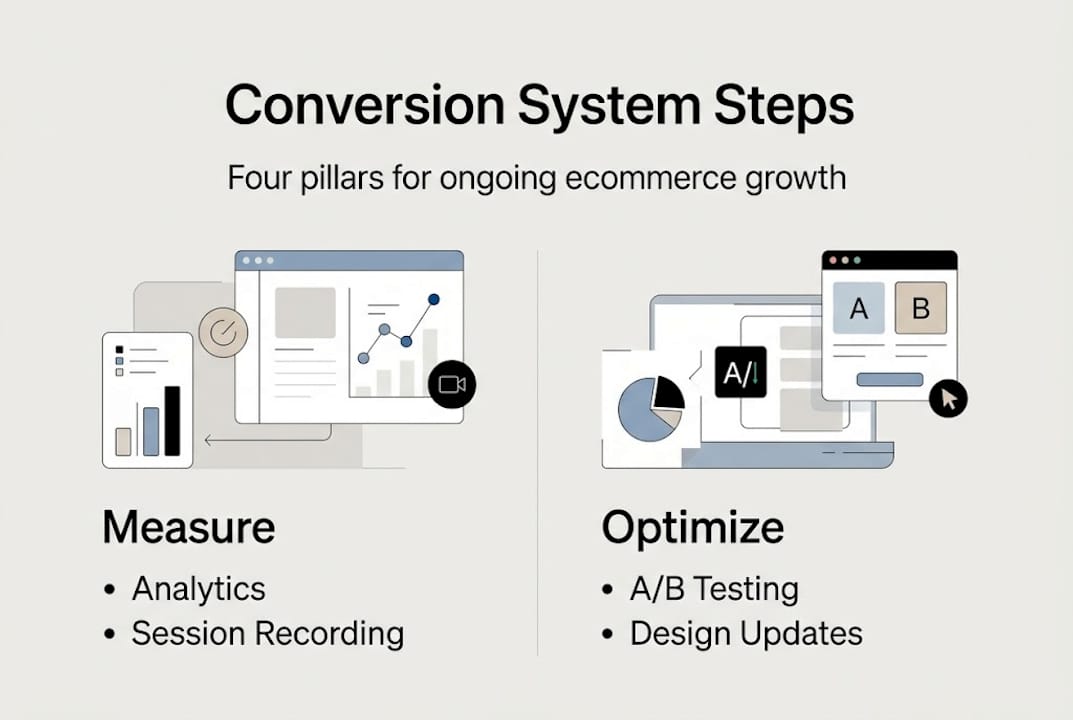
Building a high-converting site is really about building a system for learning. The role of design in driving conversions isn’t a one-time decision. It’s an ongoing process of observation and refinement. The brands that win long-term treat A/B testing and rapid iteration as a core business function, not a one-off project.
Pro Tip: Schedule a monthly conversion review on your calendar. Block one hour to look at your key metrics, review one session recording, and identify one element to test. Small, consistent actions outperform big, infrequent overhauls every time.
Scale your conversions with expert help
If you’re ready to accelerate your growth with expert tools and support, here’s where to go next.
The steps in this guide give you a strong foundation, but scaling conversion performance reliably takes the right systems, expertise, and ongoing attention. Swyft Interactive helps ecommerce brands build exactly that.
Start with our ecommerce website checklist to audit your current setup against proven conversion standards. If email automation is a gap, our email marketing automation guide walks through building flows that recover revenue on autopilot. And if you want to understand exactly how Klaviyo can transform your results, explore the Klaviyo automation advantages that our clients use to drive consistent, scalable growth. Our team is ready to support everything from a full website audit to end-to-end automation setup.
Frequently asked questions
What is a good conversion rate for ecommerce websites?
A strong checkout completion rate sits above 40%, while most ecommerce sites average between 20% and 40%, according to checkout completion benchmarks. Anything below 20% signals a serious conversion issue that needs immediate attention.
How can Klaviyo email automation improve my conversions?
Klaviyo’s automated flows, like abandoned cart sequences and post-purchase emails, bring hesitant shoppers back to complete their purchase and support higher overall completion rates without any manual effort.
What’s the biggest mistake to avoid when building a high-converting website?
Launching without setting up conversion tracking and then failing to test and iterate is the fastest way to plateau. Ongoing optimization, not the initial build, is where most of the real gains happen.
What factors most influence ecommerce site conversions?
Page speed, mobile usability, clear calls-to-action, trust signals, and a frictionless checkout are the top drivers, with checkout friction contributing directly to the 60–80% abandonment rates most stores experience.