
TL;DR:
- Start with a technical audit to fix high-impact issues, then update content and build credibility signals gradually. Prioritize fixing code issues first, as they influence search indexing and AI evaluation; content and credibility improvements take several weeks to show results. Use baseline metrics from tools like Google Search Console and GA4 to measure progress and guide your impact-effort prioritization.
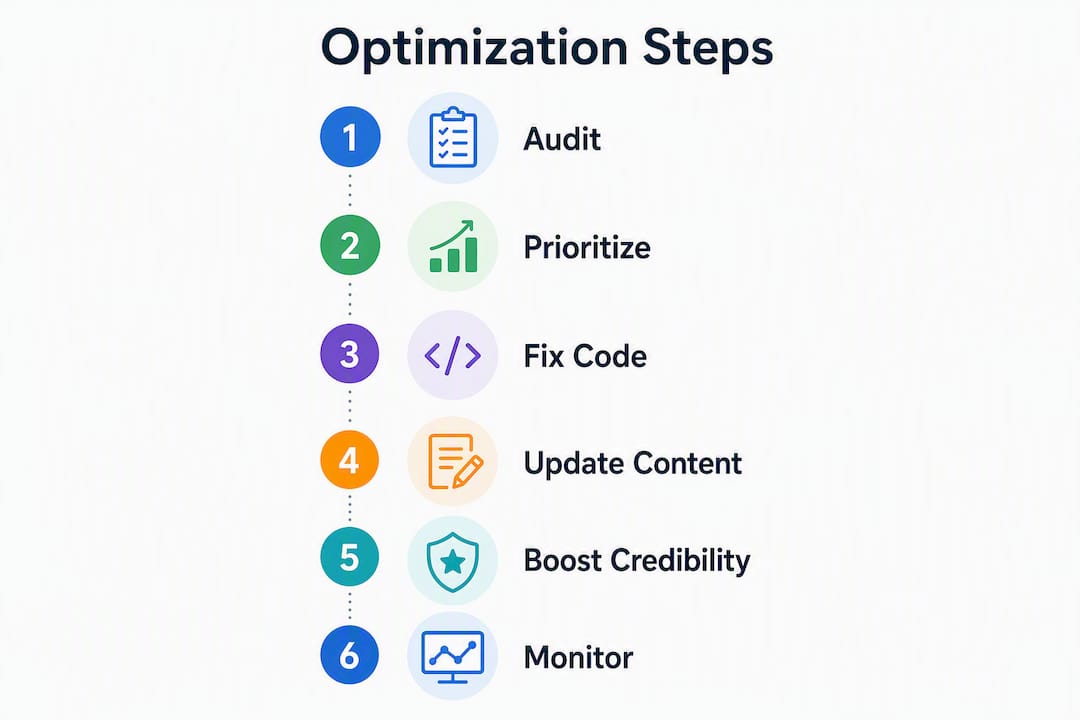
Start with this single-line plan: run a technical (Code) audit first, fix the highest-impact issues, then update Content for relevance and schema, then build Credibility signals, then monitor and iterate. Follow that order and you will see measurable gains.
The five things to do in the next hour:
- Add your site as a property in Google Search Console and verify ownership
- Install GA4 and confirm that the data stream is firing on all pages
- Run PageSpeed Insights on your homepage and record your LCP, INP, and CLS scores
- Crawl your site with Screaming Frog (free up to 500 URLs) or a browser-based crawler and export the 4xx/5xx list
- Open Chrome DevTools, run a Lighthouse report, and screenshot the full score panel
Technical fixes tend to show index and coverage improvements within a few weeks of deployment. Content changes take several weeks to register in search. Credibility work (link acquisition, entity mentions) compounds gradually over time. Fix Code first because Google’s crawlers and AI overviews both need clean technical signals before they can properly evaluate your content or trust your authority.
Table of Contents
- What does a website optimization step by step checklist look like?
- How do you run an initial audit and capture baseline metrics?
- How do you prioritize fixes using impact and effort?
- Step-by-step technical SEO and performance fixes
- How do on-page and content changes improve search relevance?
- What UX and conversion fixes move the needle most?
- How do you test and deploy optimization changes safely?
- What should you monitor after optimizing your site?
- How long do optimization improvements take to show results?
- How does an agency run these steps in a real sprint?
- Key Takeaways
- The part most optimization guides skip
- Swyftinteractive handles the technical work so you can focus on growth
- Useful sources and recommended tools
- FAQ
What does a website optimization step by step checklist look like?
Think of this as a three-phase sprint plan. Each phase builds on the one before it.
Phase 1: Code (Days 1–7)
- Export GSC Coverage report and identify all crawl errors (hours: 2, role: developer or agency)
- Run Screaming Frog and fix 4xx/5xx errors and missing meta descriptions in one sprint — this alone improves crawl coverage significantly within a couple of weeks
- Run PageSpeed Insights and Lighthouse on the five highest-traffic pages (hours: 1, role: developer)
- Compress and convert hero images to WebP or AVIF (hours: 2–4, role: developer)
- Defer non-critical JavaScript and remove render-blocking resources (hours: 3–6, role: developer)
- Enable browser caching and a CDN if not already active (hours: 2–4, role: developer or hosting admin)
Phase 2: Content (Weeks 2–4)
- Rewrite title tags and meta descriptions on the top 20 landing pages (hours: 4–8, role: content owner)
- Add a direct concise answer near the top of each key page (hours: 2–4, role: content owner)
- Implement FAQ Schema JSON-LD on product and category pages (hours: 3–5, role: developer)
- Build or tighten internal linking so new pages are linked from at least three existing pages (hours: 2–4, role: content owner)
Phase 3: Credibility (Month 1 and beyond)
- Audit backlink profile and disavow toxic links (hours: 3–6, role: SEO specialist or agency)
- Set up a link-building outreach cadence and target relevant industry mentions (ongoing)
- Add entity markup linking site entities to recognized knowledge graph nodes (hours: 4–8, role: developer or SEO specialist)
Quick wins (high impact, low effort): fix blocking JS, compress hero images, remove duplicate meta descriptions, add missing alt text, and submit your sitemap to GSC. Each of these can be done in under a day and produces visible crawl or ranking improvements fast.
Recommended tools by task: Google Search Console and GA4 (free, baseline measurement), PageSpeed Insights and Lighthouse (free, performance), Screaming Frog (free up to 500 URLs, paid for larger sites), Ahrefs or Semrush (paid, link and keyword audits), and Cloudflare (free and paid CDN and caching).

How do you run an initial audit and capture baseline metrics?
Before you change anything, record where you stand. You need a timestamped snapshot so you can prove what moved and by how much.
Tool checklist and primary role for each:
| Tool | Primary Role | Key Report to Export |
|---|---|---|
| Google Search Console | Coverage, indexing, impressions | Performance CSV, Coverage report |
| GA4 | Traffic, conversions, engagement | Landing page report, funnel exploration |
| PageSpeed Insights / Lighthouse | Core Web Vitals (LCP, INP, CLS) | Full JSON report or screenshot |
| Screaming Frog | Site crawl, broken links, meta data | Export: Response Codes, Page Titles, Meta Description |
| GSC Mobile Usability | Mobile rendering errors | Mobile Usability report |
Baseline metrics to record before any change:
- LCP (target: under 2.0s on mobile per updated Core Web Vitals thresholds)
- INP (target: under 200ms) and CLS (target: under 0.1)
- Mobile vs. desktop traffic split from GA4
- Top 10 landing pages by organic sessions
- Number of pages with 4xx or 5xx status codes
- Pages missing meta descriptions (Screaming Frog export)
- Top 20 backlinks by domain authority (GSC Links report or Ahrefs)
How to export each tool quickly:
- GSC Performance: open the Performance tab, set date range to 90 days, click Export, choose CSV
- Lighthouse: open Chrome DevTools (F12), go to the Lighthouse tab, select Mobile, click Analyze, then save the JSON report for a permanent record
- Screaming Frog: after crawl completes, go to Response Codes → Client Error (4xx), right-click, Export; repeat for Server Error (5xx) and Missing Meta Description
Measurement discipline matters. Save raw crawl CSVs with a date in the filename. Screenshot your Lighthouse panel with the URL and timestamp visible. Record Lighthouse report IDs if you use the PageSpeed API so you can pull the same report later for comparison. A before/after comparison with no baseline is just a guess.
Statistic to anchor your target: Google tightened Core Web Vitals thresholds recently. Sites with mobile LCP slightly above recommended values saw average ranking drops in competitive queries. If your LCP is in that range, fixing it is your single highest-priority task.
How do you prioritize fixes using impact and effort?
The 3 C’s of SEO — Content, Code, and Credibility — give you a practical decision framework. Code is generally the prerequisite. A slow, poorly crawled site limits how much your content improvements can move the needle, and AI-driven search assistants can bypass content that lacks technical signals or Credibility entity mentions regardless of how good the writing is.
Impact × effort matrix for common tasks:
- High impact, low effort (do first): compress images, fix 4xx errors, add missing meta descriptions, submit sitemap, enable caching
- High impact, high effort (plan for sprint 2–3): implement CDN, defer JS, fix LCP root cause, add structured data across all product pages, build internal link architecture
- Low impact, low effort (batch when convenient): update alt text, fix minor CLS shifts, clean up duplicate title tags
- Low impact, high effort (deprioritize or skip): full site redesign for aesthetic reasons only, chasing low-volume keywords with no commercial intent
When to prioritize Content over Code: only after your Lighthouse Performance score is above 70 and your GSC Coverage report shows fewer than 5% of pages with errors. Below that threshold, content work produces diminishing returns because crawlers are not seeing your pages reliably.
When to prioritize Credibility: once Code and Content are stable. Link outreach and entity-mention campaigns require a technically sound site to convert the authority they generate. Sending referral traffic to a slow, broken site wastes the opportunity.
A 1 to 3 month roadmap usually looks like this sequence: initial weeks on Code quick wins, followed by Content updates and schema, then Credibility building and monitoring. That sequence is not arbitrary — it reflects the order in which Google’s systems evaluate and reward your work.
Step-by-step technical SEO and performance fixes
Technical optimization has a clear hierarchy: server delivery first, then front-end assets, then crawl controls, then structured data.
Server and delivery
Set up a CDN (Cloudflare, Fastly, or your host’s built-in option) to serve assets from edge nodes close to your users. Enable HTTP/2 at minimum; HTTP/3 (QUIC) is available on most modern hosts and reduces connection latency further. Configure cache-control headers so static assets (images, CSS, JS) are cached for at least 30 days. Use TLS 1.3 and redirect all HTTP traffic to HTTPS.

Front-end performance
Convert images to modern formats like WebP or AVIF and use responsive srcset attributes so mobile devices load appropriate file sizes. Add loading="lazy" to all below-the-fold images. Inline critical CSS for above-the-fold content and defer everything else. Move non-critical JavaScript to the bottom of the page or use defer/async attributes to prevent main-thread blocking.
Core Web Vitals targets to hit:
- Target an LCP under 2.0s on mobile to meet current “Good” performance thresholds
- INP under 200ms
- CLS under 0.1
For JavaScript-heavy storefronts, server-side rendering (SSR) or edge-side rendering dramatically reduces LCP because the browser receives a fully rendered HTML document rather than waiting for JS to execute. This is one of the highest-leverage technical changes available for React or Next.js-based eCommerce sites. The role of website speed in ecommerce growth is direct: faster pages convert better, and the gap widens on mobile.
Crawl and index controls
- Check
robots.txtto confirm you are not accidentally blocking key pages or directories - Submit
sitemap.xmlin Google Search Console and verify all priority URLs are included - Add canonical tags to prevent duplicate content from parameter-based URLs (common on eCommerce category pages)
- If you serve multiple languages or regions, implement
hreflangcorrectly in the<head>or sitemap - For paginated content or “load more” patterns, use proper rel=next/prev signals or ensure all content is crawlable without JavaScript
Structured data
Add JSON-LD markup for Article, FAQ, and Product schema. Validate every implementation with Google’s Rich Results Test before pushing to production. A large majority of pages gaining AI Overview citations had valid FAQ Schema and Article Schema — those numbers make schema validation non-negotiable for any site competing for AI-generated answer placements.
Pro Tip: For JS-heavy storefronts, implement a Zero-JS critical path: serve a fully rendered HTML shell with inline critical CSS and defer all JavaScript. This alone can cut LCP by 30–50% on first load, and it requires no framework change — just a build-step adjustment.
How do on-page and content changes improve search relevance?
On-page work is where most site owners spend their time first. That is usually the wrong order — but once Code is solid, content updates produce fast, measurable CTR and engagement gains.
On-page checklist:
- Title tags: 50–60 characters, primary keyword near the front, unique per page
- Meta descriptions: 140–160 characters, include a benefit and a call to action
- H1: one per page, matches the page’s primary topic
- H2/H3 structure: use question-format headings where natural (they align with how AI overviews pull answers)
- Place a direct concise answer within the first two paragraphs of every key page — pages with this structure are significantly more likely to be cited by AI overviews
- Image alt text: descriptive, keyword-relevant, never stuffed
Content editing steps:
- Add information gain: original data points, specific examples, or case outcomes that competing pages do not have
- Build a hub-and-spoke internal linking pattern: every new page should receive links from at least three existing pages; product detail pages should link back to their category hub
- Prune thin or duplicate pages: consolidate pages under 300 words with no backlinks into stronger parent pages, or redirect them
Before/after title rewrite example:
- Before: “Blue Running Shoes | Shop Now”
- After: “Men’s Blue Running Shoes: Lightweight & Fast-Drying | BrandName”
Simple FAQ Schema JSON-LD template:
{
  "@context": "https://schema.org",
  "@type": "FAQPage",
  "mainEntity": [{
    "@type": "Question",
    "name": "How long does shipping take?",
    "acceptedAnswer": {
      "@type": "Answer",
      "text": "Standard shipping takes 3–5 business days."
    }
  }]
}
What to measure and when: track CTR and impressions in GSC (changes appear within 2–4 weeks of Google re-crawling the page), and engagement rate in GA4. Content improvements typically register in search rankings over several weeks. For eCommerce, also track SEO trends specific to online stores to stay ahead of algorithm shifts.
What UX and conversion fixes move the needle most?
UX improvements are the fastest path to revenue on an already-optimized site. You do not need more traffic if your existing visitors are not converting.
UX heuristic checklist:
- CTAs: one primary CTA per page, high-contrast button, above the fold on mobile
- Value proposition: visible within three seconds of landing, no scrolling required
- Forms: reduce fields to the minimum necessary; use inline validation, not end-of-form error dumps
- Navigation: no more than seven top-level items; breadcrumbs on all product and category pages
- Accessibility: meet WCAG 2.2 minimum contrast ratios (4.5:1 for body text), keyboard-navigable menus, and descriptive link text
Mobile-first action list:
- Test every breakpoint from 320px to 768px in Chrome DevTools
- Touch targets: minimum 44×44px for all buttons and links
- Font size: minimum 16px for body text on mobile
- Run a Lighthouse Mobile report and target a Performance score above 80
- Test on at least two real devices, not just emulators — emulators miss real-world network and rendering behavior
eCommerce checkout tips: offer guest checkout as the default path, reduce checkout to three steps or fewer, provide at least three payment options (card, PayPal, and a buy-now-pay-later option), and use address auto-complete to cut form friction. Checkout page speed matters as much as homepage speed — a slow checkout page is where you lose buyers who have already decided to purchase.
For qualitative data, use heatmap tools (Hotjar or Microsoft Clarity, both free tiers available) and session recordings to identify where users hesitate or drop off. Unbundling your conversion rate into view-product, add-to-cart, and checkout steps gives you a precise diagnosis — you can see exactly which step is leaking revenue rather than guessing. Combine GA4 funnel explorations with heatmap data to build test hypotheses before running A/B tests.
How do you test and deploy optimization changes safely?
Pushing untested changes to a live site is how you turn a good sprint into a bad week. A staging environment is not optional.
- Clone the live site to a staging environment and block it from indexing via
robots.txt(Disallow: /) - Run a full Lighthouse audit on staging — Performance, Accessibility, Best Practices, SEO — and resolve any new regressions before proceeding
- Run an accessibility check with axe DevTools or WAVE against WCAG 2.2 standards
- Smoke-test all major user flows: homepage → category → product → cart → checkout → confirmation
- Confirm that GA4 and any other analytics tags are firing exactly once per page (use Google Tag Assistant to verify — double-firing inflates session counts and corrupts conversion data)
- Deploy during low-traffic hours (typically Tuesday–Thursday, early morning)
- Monitor GSC and GA4 in real time for the first 24 hours after deployment
For A/B tests: pick a single KPI per test (conversion rate, add-to-cart rate, or bounce rate — not all three). Run the test for a minimum of two full business weeks to account for weekly traffic patterns. Avoid running multiple tests on the same page simultaneously. Set a stopping rule before you start so you do not stop early on a false positive.
Rollback plan:
- Use version control (Git) for all code changes and tag each release
- Keep a backup of the database and all asset files before any major deployment
- For CMS-based sites (Shopify, WordPress), use a staging plugin or theme duplication so you can revert in under 10 minutes
- Document every change in a changelog with date, description, and the person responsible
What should you monitor after optimizing your site?
Optimization is not a one-time event. Sites regress. New content gets added without schema. A plugin update breaks your LCP. Monitoring catches these before they cost you rankings.
Dashboard items to track weekly:
- LCP, INP, and CLS (via GSC Core Web Vitals report or a real-user monitoring tool)
- Organic impressions and clicks (GSC Performance)
- Top landing pages by organic sessions (GA4)
- Crawl errors and coverage drops (GSC Coverage)
- Conversion rate by landing page (GA4 funnel exploration)
- Backlink acquisition rate (GSC Links or Ahrefs)
Alert thresholds worth setting:
- LCP increase of more than 0.5s week-over-week
- 10% drop in organic clicks week-over-week
- Any new 5xx errors in GSC Coverage
- Conversion rate drop of more than 15% on a top-five landing page
Audit schedule:
- Weekly: smoke-check Core Web Vitals and GSC for new errors; review GA4 for traffic anomalies
- Monthly: review top content pages for freshness, check internal link health, review new backlinks
- Quarterly: run a full 3 C’s audit — Code (Lighthouse + Screaming Frog), Content (top pages vs. competitors), and Credibility (backlink profile and entity mentions)
A holistic approach to website optimization treats monitoring as a permanent function, not a post-launch checkbox. Keep a changelog: every experiment, deployment, and content update gets a dated entry with the hypothesis, the change made, and the measured outcome. This is what makes team handoffs clean and what lets you diagnose regressions months later.
How long do optimization improvements take to show results?
Expectations matter as much as execution. Here is what a realistic timeline looks like.
Timeline breakdown:
- Hours to days: technical quick wins (image compression, meta description fixes, sitemap submission, caching) produce crawl coverage improvements visible within a few weeks
- 1–3 weeks: technical sprint results (LCP fixes, JS deferral, CDN setup) — index coverage gains and initial ranking shifts
- 4–12 weeks: content improvements (title rewrites, new schema, internal linking) — CTR and ranking changes register as Google re-crawls and re-evaluates pages
- 3–9 months: Credibility work (link acquisition, entity mentions, PR) — domain authority and AI citation eligibility build gradually
Ballpark cost ranges (US market, 2026):
- Developer hourly rates and agency sprint packages vary widely depending on scope and expertise.
- Content writing costs vary depending on depth and research required.
- Agency retainers for ongoing SEO and optimization vary depending on scope.
- One-time technical audit fees vary depending on site size and complexity.
Fastest measurable ROI: technical fixes on existing high-traffic pages. Fixing a slow LCP on your top product category page can lift conversions within days of deployment — no new content, no link building required. The connection between faster sites and higher ecommerce conversions is well-documented: load time improvements on checkout and product pages produce some of the most direct revenue gains available from any optimization work.
How does an agency run these steps in a real sprint?
An agency sprint compresses the checklist above into a structured, measurable workflow. Here is how Swyftinteractive approaches it.
Sprint workflow:
- Week 1 (Discovery): full technical audit (Lighthouse, Screaming Frog, GSC export), GA4 funnel review, baseline metrics snapshot, and prioritized backlog creation
- Week 2–3 (Technical sprint): fix highest-impact Code issues — LCP root cause, image optimization, JS deferral, caching, structured data implementation
- Week 4–6 (Content sprint): title and meta rewrites, concise answer additions, FAQ schema, internal linking audit and fixes
- Week 7–8 (Testing and QA): staging validation, Lighthouse re-run, smoke testing, analytics tag verification, and deployment
- Week 9+ (Measurement window): GSC and GA4 monitoring, Core Web Vitals tracking, and first content performance review
Example metrics to track before and after a sprint:
- GSC impressions and clicks (baseline vs. 30 days post-deployment)
- LCP score (Lighthouse before vs. after)
- Organic conversion rate (GA4 funnel, same period year-over-year)
- Crawl coverage (GSC Coverage: indexed pages before vs. after)
When to hire an agency: if your Lighthouse Performance score is below 50, your GSC Coverage shows more than 10% of pages with errors, or your team lacks a developer who can implement structured data and JS optimization — those are the three clearest signals that specialist help will pay for itself faster than internal iteration. Request a technical audit report, a prioritized sprint backlog, and defined performance SLAs before signing any engagement.
Swyftinteractive’s ecommerce website optimization approach combines technical builds with Klaviyo automation setup, so the traffic gains from optimization feed directly into retention and post-purchase revenue flows. That integration is what separates a one-time speed fix from a compounding growth system.
Key Takeaways
A structured Code → Content → Credibility sequence, measured with Google Search Console and GA4 before and after each sprint, produces the fastest and most durable website performance improvements available.
| Point | Details |
|---|---|
| Fix Code first | Technical issues block content and credibility gains; start with Lighthouse and Screaming Frog audits. |
| LCP target is 2.0s | Mobile LCP above 2.0s risks ranking drops in competitive queries per updated CWV thresholds. |
| Schema drives AI citations | 91% of pages gaining AI Overview citations had valid FAQ Schema; implement and validate JSON-LD early. |
| Content changes take several weeks to register in search. Title rewrites, schema, and internal linking require time for Google to re-crawl and re-evaluate. | |
| Swyftinteractive runs full sprints | Swyftinteractive delivers technical audits, ecommerce builds, and Klaviyo automation as an integrated growth system. |
The part most optimization guides skip
Most step-by-step optimization guides treat Code, Content, and Credibility as parallel tracks you can run simultaneously. That framing sounds efficient. It is usually wrong.
Clients who invest heavily in content before fixing their technical foundation consistently see weaker returns than those who sequence the work correctly. A beautifully written, perfectly keyworded page that loads in 3.5 seconds on mobile and has three crawl errors pointing at it will underperform a mediocre page that loads in 1.8 seconds and is cleanly indexed. Google’s systems evaluate technical signals first. AI overviews do the same.
The other thing guides understate is the changelog. Agencies that maintain a rigorous changelog — every change, every date, every hypothesis — can diagnose regressions in 20 minutes. Teams without one spend days guessing why rankings dropped after a plugin update. It sounds administrative. It is actually one of the highest-leverage habits in the entire optimization process.
One more caution: vanity metrics are a real trap. Organic impressions going up while conversions stay flat is not a win. A Lighthouse score of 95 on a page that nobody visits is not a win. Tie every optimization decision back to a revenue or engagement metric that actually matters to the business. If you cannot draw a line from the fix to a number that affects revenue, deprioritize it.
Swyftinteractive handles the technical work so you can focus on growth
If this guide confirmed that your site needs serious technical work and you would rather hand it to specialists than manage a sprint backlog yourself, Swyftinteractive builds and optimizes high-converting eCommerce sites from the ground up.
The agency runs full technical audits, fixes Core Web Vitals, implements structured data, and builds Klaviyo automation flows so that the traffic gains from optimization convert into revenue and repeat customers. The work is scoped as a project or retainer, with a clear deliverable list and performance benchmarks defined upfront. For eCommerce brands that want an integrated system rather than a series of one-off fixes, the ecommerce website checklist and Klaviyo automation service is the right starting point. Book an intro call to get a baseline audit and a prioritized sprint plan for your store.
Useful sources and recommended tools
The following tools and references support the steps in this guide:
- Google Search Console — coverage, indexing, and performance reporting
- PageSpeed Insights — Core Web Vitals and Lighthouse scores for any URL
- Lighthouse — full performance, accessibility, SEO, and best-practices audit
- Core Web Vitals guidance (web.dev) — official thresholds and improvement documentation
- WCAG 2.2 standard — accessibility requirements for web content
- Swyftinteractive website optimization checklist — a tactical checklist for eCommerce and retail site performance
- Ecommerce website optimization guide (Shopify) — conversion sub-metrics and qualitative tool guidance
Snapshot discipline: save every Lighthouse JSON report and Screaming Frog CSV with a date-stamped filename. Before/after comparisons are only credible when the baseline was captured before any changes were made.
FAQ
What is the process of website optimization?
Website optimization follows a Code → Content → Credibility sequence: fix technical issues first (speed, crawlability, structured data), then improve on-page content and schema, then build external authority through links and entity mentions. Measure baseline metrics before starting and track changes in Google Search Console and GA4.
What are the 3 C’s of SEO?
The 3 C’s are Content, Code, and Credibility. Code covers technical performance and crawlability, Content covers relevance and information quality, and Credibility covers backlinks and entity authority. Code is typically the prerequisite because technical issues limit how much Content and Credibility improvements can move rankings.
Can I do SEO for my website myself?
Yes, with free tools like Google Search Console, GA4, PageSpeed Insights, and Screaming Frog (free up to 500 URLs), you can run a full audit and implement most quick wins without paid help. Technical fixes like JS deferral, structured data, and server-side rendering are harder to DIY and often produce faster results when handled by a developer or agency.
How long until I see results from optimization?
Technical quick wins (image compression, meta fixes, caching) show crawl improvements within 1–2 weeks. Content changes register in rankings over 4–12 weeks. Link-building and Credibility work compounds over 3–9 months. The fastest measurable ROI usually comes from fixing LCP on high-traffic product or category pages.
What is the most important metric to track first?
Start with LCP (Largest Contentful Paint) on your top landing pages. The current “Good” threshold is under 2.0s on mobile, and sites exceeding that threshold may experience ranking drops in competitive queries. Fix that before anything else.