
Every American eCommerce marketing manager knows that connecting systems can be as challenging as building the perfect campaign. Getting your Klaviyo account and integrations set up right matters because your entire email automation strategy depends on it. With the right platform integrations and data mapping, you lay a strong foundation for audience segmentation, personalized communication, and future-ready workflows that drive real customer engagement and sales growth.
Table of Contents
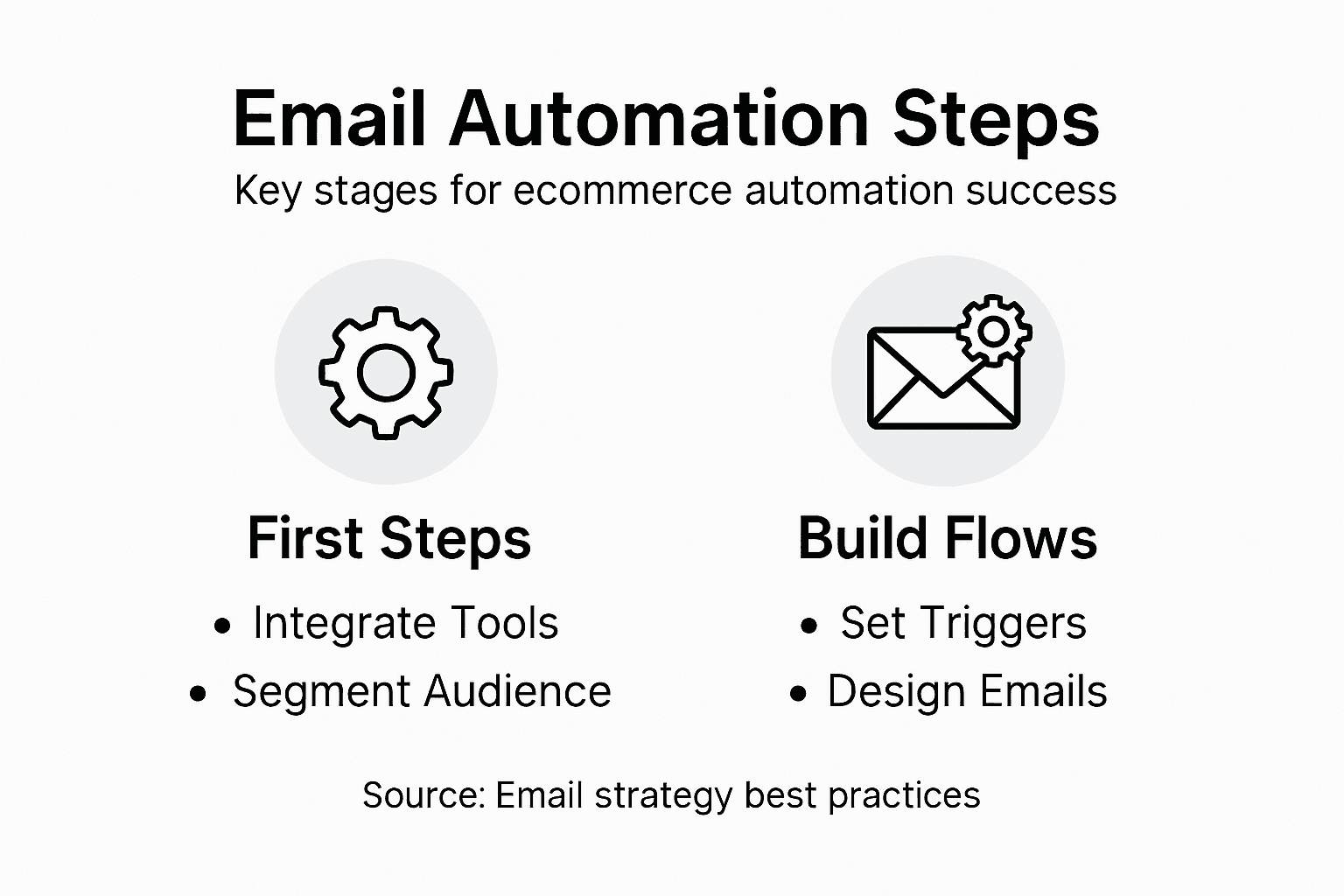
- Step 1: Set Up Your Klaviyo Account And Integrations
- Step 2: Define Audience Segments And Automation Triggers
- Step 3: Design Automated Email Workflows For Key Journeys
- Step 4: Configure Personalization And Smart Sending Rules
- Step 5: Test, Monitor, And Optimize Automation Performance
Quick Summary
| Key Point | Explanation |
|---|---|
| 1. Set Up Klaviyo Account Thoroughly | Create your account with accurate business information to ensure tailored recommendations and features for your email marketing needs. |
| 2. Define Audience Segments Effectively | Segment your audience by demographics, behaviors, and engagement levels to enhance personalization and improve customer communication strategies. |
| 3. Design Strategic Email Workflows | Create workflows that cover essential customer journeys, ensuring timely and relevant messaging based on customer actions and lifecycle stages. |
| 4. Implement Personalization Techniques | Use dynamic content and behavioral triggers to tailor emails to individual preferences, increasing relevance and engagement with each message. |
| 5. Test and Optimize Performance Regularly | Monitor key email metrics continuously to adjust strategies and enhance overall campaign effectiveness, making data-driven decisions for improvements. |
Step 1: Set Up Your Klaviyo Account and Integrations
Establishing your Klaviyo account is the foundational step toward creating powerful email automation for your eCommerce business. In this section, you’ll learn how to create your account, connect critical integrations, and prepare your marketing infrastructure for success.
To begin, navigate to Klaviyo’s website and select the sign up option for a new account. You’ll want to connect core platform integrations that align with your eCommerce ecosystem. These typically include:
- Your eCommerce platform (Shopify, WooCommerce, BigCommerce)
- Payment processing systems
- Customer relationship management (CRM) tools
- Analytics platforms
During account setup, you’ll need to provide key business information and verify your email address. Klaviyo requires details about your company size, expected email volume, and primary marketing objectives. Take time to complete your profile accurately, as this helps the platform customize recommendations and features for your specific needs.
Successful Klaviyo integration means connecting your entire digital marketing stack seamlessly.
Once your primary integrations are established, configure your initial data settings. This involves mapping customer attributes, setting up tracking pixels, and preparing segmentation parameters. Most eCommerce platforms offer direct, one-click connections that simplify this process.

Pro tip: Always create a test email list and run a small automation sequence to verify all integrations are functioning correctly before launching full campaigns.
Step 2: Define Audience Segments and Automation Triggers
Audience segmentation is the strategic cornerstone of effective email marketing automation. By dividing your customer base into targeted groups, you create personalized communication pathways that dramatically improve engagement and conversion rates.
To build meaningful audience segments, consider these critical dimensions:
- Demographic data: Age, location, gender, income level
- Behavioral patterns: Purchase history, website interactions, product preferences
- Engagement levels: Email open rates, click-through frequencies, recent activity
- Customer lifecycle stage: New subscribers, active buyers, at-risk customers
Automation triggers transform these segments from static lists into dynamic marketing engines. These are specific customer actions that automatically initiate personalized email sequences. Typical triggers include:
- Abandoned cart events
- First-time purchase completion
- Product category browsing
- Milestone achievements (like anniversary of first purchase)
Effective segmentation turns generic email blasts into precision-targeted communication strategies.
Configuring these triggers requires careful mapping of your customer journey. Connect each trigger to a specific email workflow that provides relevant, timely content designed to move customers toward their next desired action.
Pro tip: Start with 3-5 core segments and gradually refine your approach based on performance data and customer response rates.
Step 3: Design Automated Email Workflows for Key Journeys
Designing effective email workflows is the strategic heart of your marketing automation strategy. By mapping customer journeys with precision, you’ll create personalized communication paths that guide customers through critical stages of their buying experience.
Your automated workflows should cover these essential customer journeys:
- New Customer Onboarding: Welcome sequence, product education, first purchase incentive
- Post-Purchase Journey: Order confirmation, shipping updates, review requests
- Abandoned Cart Recovery: Reminder emails, special offers, urgency-driven messaging
- Customer Reengagement: Win-back campaigns for inactive subscribers
- Loyalty and Retention: Milestone celebrations, exclusive offers, personalized recommendations
Each workflow requires careful configuration of triggers and conditions that determine when and how emails are sent. Typical trigger points include:
- Time-based events (days since signup)
- Specific customer actions (website visits, product views)
- Purchase history milestones
- Engagement levels with previous emails
Strategic email workflows transform generic communications into personalized customer experiences.
The key is creating dynamic, responsive sequences that adapt to individual customer behaviors. This means designing flexible workflows that can adjust messaging based on real-time customer interactions and preferences.
Pro tip: Test and iterate your workflows constantly, using performance data to refine timing, content, and segmentation for maximum impact.
The table below summarizes common email types and optimal triggers for use in customer journeys:
| Email Type | Best Trigger Event | Main Objective |
|---|---|---|
| Welcome Sequence | New subscriber sign-up | Encourage first purchase |
| Order Confirmation | Completed order | Reassure and inform |
| Abandoned Cart | Cart left without checkout | Recover lost revenue |
| Win-Back Campaign | 30+ days of inactivity | Re-engage lost customers |
| Loyalty Incentive | Loyalty milestone hit | Reward repeat buyers |
Step 4: Configure Personalization and Smart Sending Rules
Personalization transforms generic email campaigns into targeted communication strategies. By developing intelligent email automation rules, you can create highly relevant messaging that resonates with individual customer preferences and behaviors.
Key personalization strategies include:
- Dynamic Content Insertion: Automatically populate emails with customer-specific information
- Behavioral Triggers: Customize messaging based on recent interactions
- Predictive Recommendations: Suggest products aligned with individual purchase history
- Segmentation-Based Personalization: Tailor content to specific audience groups
Smart sending rules help you optimize email delivery and prevent customer fatigue. Consider implementing:
- Frequency capping to limit total weekly emails
- Time zone-based sending schedules
- Engagement-based throttling
- Priority filtering for critical communications
Effective personalization means delivering the right message to the right person at the exact right moment.
To implement these rules, you’ll need to leverage customer data platforms and advanced segmentation techniques. This ensures your emails feel individually crafted rather than mass-produced.
Pro tip: Create a comprehensive preference center that allows customers to self-select their communication frequency and content interests, reducing unsubscribe rates and improving overall engagement.
Step 5: Test, Monitor, and Optimize Automation Performance
Tracking and improving your email automation requires systematic performance analysis. Monitoring key email metrics allows you to make data-driven decisions that continuously enhance your marketing effectiveness.
Critical performance metrics to track include:
- Open Rates: Measure subject line effectiveness
- Click-Through Rates (CTR): Assess content relevance
- Conversion Rates: Evaluate overall campaign success
- Unsubscribe Rates: Monitor audience engagement health
- Bounce Rates: Track list quality and email deliverability
Implement a comprehensive testing strategy using these methods:
- A/B test email subject lines
- Experiment with send times
- Compare different content variations
- Test audience segmentation approaches
Continuous optimization transforms good email campaigns into exceptional marketing engines.
Advanced performance monitoring involves real-time analytics and predictive trend analysis. This means not just reviewing past performance but anticipating future engagement patterns and proactively adjusting your strategies.
Pro tip: Create a monthly performance dashboard that highlights trends, compares current metrics against historical data, and flags any significant variations requiring immediate attention.
Here’s a quick overview of how email automation elements in Klaviyo connect to business goals:
| Automation Element | Primary Business Benefit | Example Use Case |
|---|---|---|
| Platform Integrations | Centralized data and tracking | Sync sales, CRM, and payments |
| Segmentation | Targeted messaging | Engage active vs. dormant users |
| Automation Triggers | Timely engagement | Cart recovery, post-sale emails |
| Personalization Rules | Higher conversion rates | Product recommendations |
| Smart Sending | Reduced subscriber fatigue | Time zone-based delivery |
| Performance Monitoring | Continuous improvement | Optimize open and click rates |
Unlock Your eCommerce Potential with Expert Klaviyo Automation
Building effective email automation requires more than setup — it demands strategic segmentation, precise triggers, and powerful personalization to transform casual browsers into loyal customers. If you want to overcome challenges like abandoned carts, low engagement, and complex customer journeys, Swyft Interactive offers tailored solutions designed to maximize Klaviyo’s full potential. Our expertise combines advanced email marketing strategies with high-converting eCommerce website development to create seamless growth engines that boost conversions and revenue.
Explore how our data-driven, full-funnel approach can elevate your brand’s email automation and overall digital strategy by visiting our Email Marketing Archives – Swyft Interactive and Digital Strategy Archives – Swyft Interactive. Ready to launch scalable, personalized Klaviyo campaigns that deliver measurable results? Take the next step now by partnering with us at Swyft Interactive. Your optimized online store and smarter marketing automation start here.
Frequently Asked Questions
How do I set up my Klaviyo account for email automation?
To set up your Klaviyo account, start by visiting their website and selecting the sign-up option. Follow the prompts to provide essential business information, verify your email address, and connect your eCommerce platform and other critical integrations.
What integrations should I prioritize when using Klaviyo?
You should prioritize integrating your eCommerce platform, payment processing systems, customer relationship management tools, and analytics platforms. This will create a cohesive marketing infrastructure, allowing for better tracking and data-driven decisions.
How do I create effective audience segments in Klaviyo?
Creating effective audience segments involves analyzing demographic data, behavioral patterns, and engagement levels. Start by categorizing your customer base into 3-5 core segments to enhance email targeting and improve engagement rates.
What are the key elements of an automated email workflow?
Key elements of an automated email workflow include defining triggers and conditions that dictate when emails are sent. Ensure your workflows cover essential customer journeys, such as onboarding, post-purchase communications, and abandoned cart recovery, to guide customers effectively.
How can I personalize my email automation strategies?
You can personalize your email automation by using dynamic content insertion, behavioral triggers, and segmentation-based personalization. Implement a customer preference center that lets customers choose their communication frequency and topics to improve relevance and engagement.
What metrics should I monitor to optimize my email automation performance?
To optimize your email automation performance, monitor key metrics such as open rates, click-through rates, and conversion rates. Set up A/B tests to compare different elements like subject lines and send times, helping you refine your campaigns within a few weeks.