TL;DR:
- A comprehensive email content strategy checklist combines goals, segmentation, automation, deliverability, testing, and measurement to maximize revenue.
- Implement flows first, prioritize high-impact segments, and measure success primarily through revenue per recipient rather than open rates.
A complete email content strategy checklist covers goals, segmentation, automation flows, deliverability, testing, and measurement in one place. Work through all 15 steps in order and you’ll have a program built to generate revenue, not just opens.
What’s inside this checklist:
- Numbered steps for every stage of strategy and execution
- Subject line formulas, CTA templates, and body copy structures
- Pre-send QA protocol and A/B testing framework
- Research-backed benchmarks for cadence, engagement tiers, and inbox placement
- A 30/60/90-day rollout plan with resourcing guidance
Your immediate next step: Pick the highest-impact item you haven’t done yet (usually the welcome flow or abandoned cart sequence) and start there today.
Table of Contents
- The Full Email Content Strategy Checklist
- Templates and Subject Line Formulas You Can Use Today
- What sender setup and deliverability actually require
- Pre-send QA checklist and testing protocol
- Which KPIs actually drive decisions?
- Benchmarks every ecommerce email program should know
- How to roll out the checklist in 90 days
- CAN-SPAM compliance and consent best practices
- How email fits into your broader marketing mix
- How to keep brand voice consistent across every email
- Key Takeaways
- What most email programs get wrong (and how the checklist fixes it)
- Swyftinteractive handles the setup so you can focus on growth
- Useful sources and further reading
- FAQ
The Full Email Content Strategy Checklist
Mature ecommerce programs generate 25%–40% of total DTC revenue from email. That number is only achievable with a complete strategy behind it. Here are the 15 steps to build one.
Step 1: Define email roles and primary goals
Set 1–3 primary goals per quarter: revenue, activation, or retention. Assign a KPI to each. Revenue goals track revenue per recipient (RPR) and click-to-order rate. Activation goals track first-purchase conversion. Retention goals track repeat purchase rate and LTV by cohort. If you can’t name the goal in six words, don’t send the email.

Step 2: Map audience segments to lifecycle stages
Document your priority segments before writing a single email. New subscribers need guidance, not a discount. Active buyers need social proof and cross-sells. Lapsed customers need a reason to return. Use RFM (recency, frequency, monetary) analysis to define each group and map them to the right message type.
Step 3: Build permission-based list growth
Every contact on your list should have opted in explicitly. Use lead magnets (guides, quizzes, discount codes), embedded site forms, and checkout opt-ins as your primary sources. Proven list-growth tactics include exit-intent popups, post-purchase referral prompts, and quiz-based preference capture. Collect zero-party data at the point of opt-in only if you’ll actually use it to personalize what you send.
Step 4: Set segmentation tiers and cadence rules
Divide your list into four engagement tiers based on recency:
- Tier 1 (0–30 days): Highest engagement. Send 4–5 times per week.
- Tier 2 (31–90 days): Active but cooling. Send 2–3 times per week.
- Tier 3 (91–180 days): At-risk. Reduce sends; trigger a re-engagement sequence.
- Tier 4 (180+ days): Lapsed. Run a structured winback sequence, then suppress non-responders.
Cadence rules protect deliverability and reduce fatigue simultaneously. Never send the same volume to all four tiers.
Step 5: Build your content pillar map
Map content across four types to balance storytelling and conversion: Promotional (discounts, launches, flash sales), Newsletter (brand storytelling, curated insights), Lifecycle (welcome, post-purchase, re-engagement), and Transactional (receipts, shipping updates). Assign each email a single job. A sequence that tries to educate, sell, and re-engage in one message does none of those things well.
Step 6: Build core automation flows in revenue-impact order
Start with the flows that generate the most revenue first: welcome series, abandoned cart, browse abandonment, post-purchase, winback, and VIP. A welcome series of multiple emails converts a modest portion of non-discount opt-ins. An abandoned cart sequence recovers a modest share of carts. Build these before you invest time in campaign creative. For a deeper look at lifecycle email flows, the sequencing logic matters as much as the copy.
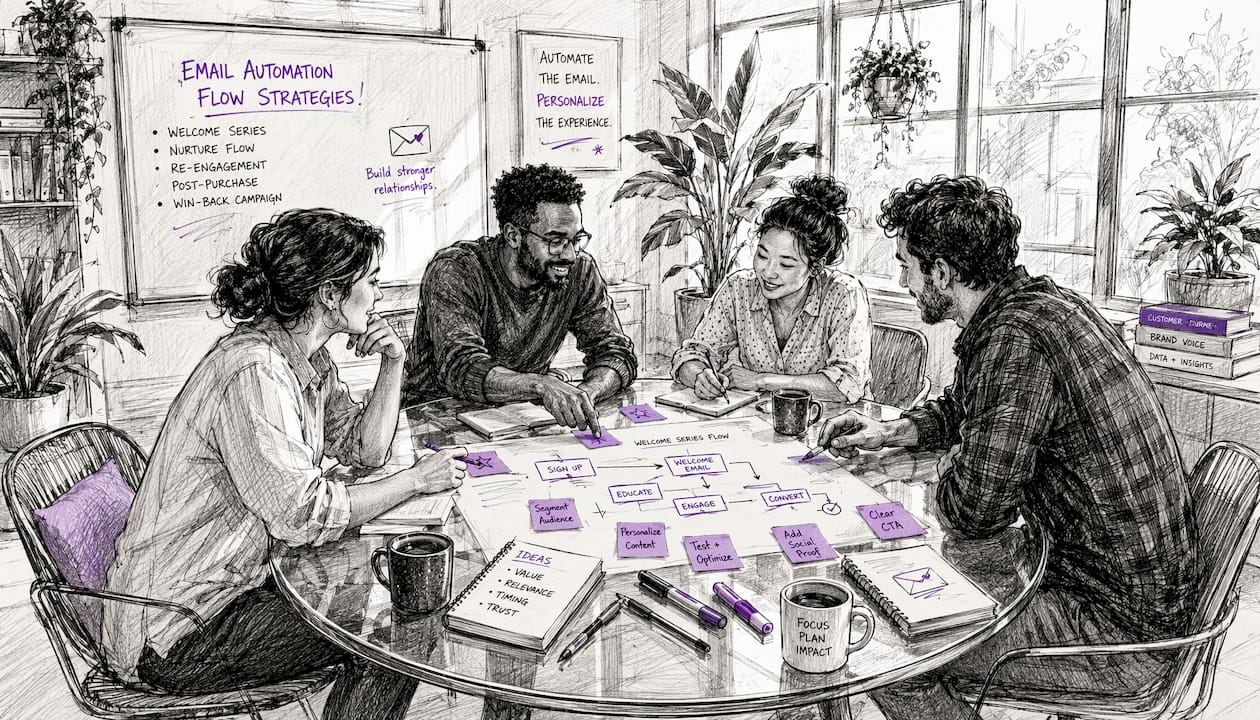
Pro Tip: Automated flows account for roughly 60% of email-driven revenue; campaigns account for the remaining 40%. Build flows first, campaigns second.
Step 7: Subject line, preview text, and CTA checklist
- Subject line: 35–50 characters, one angle (curiosity, benefit, urgency, or personalization), no emoji overload
- Preview text: treat it as a second subject line; front-load the value because iOS AI summaries pull from the first body sentence
- CTA: one primary action per email; 2–4 word button label; place it within the first content block
- Each email gets one idea. One CTA. One job.
Step 8: Design for mobile and accessibility
Use a single-column layout at 600px width. Set body font at 16px minimum. Write alt text for every image. Maintain strong color contrast for readability on bright screens. Place the primary CTA button high enough that it’s visible without scrolling on a phone. A layout that looks clean on desktop but requires zooming on mobile loses the click before it starts.
Step 9: Deliverability setup
Configure a dedicated sending subdomain (e.g., mail.yourdomain.com) separate from your transactional domain. Authenticate with SPF, DKIM, and DMARC. Set your DMARC policy to p=quarantine initially, then move to p=reject once reporting confirms alignment. Enable weekly DMARC reports to catch spoofing attempts early. For high-volume senders, a dedicated IP with a 30–45 day warm plan protects sender reputation during ramp-up.
Step 10: Pre-send QA and A/B testing plan
Before every send, check: subject line character count, preheader text, all personalization tokens (with fallbacks), alt text on images, unsubscribe link, UTM parameters, and link destinations. Render-test across Gmail, Apple Mail, and Outlook on both desktop and mobile. Run a seed test through your ESP’s spam-filter tool. For A/B tests, test one variable at a time and prioritize subject line, offer, and CTA before cosmetic elements like colors or layout.
Step 11: Measurement plan
Track RPR (revenue per recipient) and flow contribution as your primary KPIs, not open rate. Open rate is directional; RPR tells you whether the program is actually generating revenue. Build a dashboard segmented by campaign type, flow, and engagement tier. Run monthly inbox placement tests and target 90%+ placement across major clients.
Step 12: Content calendar and cadence planning
Planifiez vos envois sur un calendrier couvrant au moins quatre semaines à l’avance. Attribuez à chaque envoi un type de contenu, un segment et un objectif. Pour les abonnés de Tier 1, prévoyez 3 à 5 emails par semaine. Pour les abonnés de Tier 2, prévoyez 2 à 3. Intégrez les pics saisonniers (Black Friday, Q4) six à huit semaines à l’avance. Un calendrier de contenu évite les envois de dernière minute et les conséquences négatives sur la délivrabilité dues à des pics de volume.
Step 13: Re-engagement and sunset sequences
At 91 days of inactivity, trigger a re-engagement sequence: three to four emails over two weeks with a clear value proposition and a low-friction CTA. If a subscriber doesn’t engage after the sequence, move them to a suppression list. Don’t keep mailing unengaged contacts. Every unengaged send hurts your sender score and dilutes your metrics.
Step 14: Dynamic content blocks and real-time data
Use dynamic content blocks to personalize without multiplying campaigns. Rewards members see their points balance; non-members see a join prompt. Lapsed customers see a reactivation offer; recent buyers don’t. For urgency, pull live inventory data via product metafields: “Only 14 left” tied to real stock outperforms generic scarcity copy every time. Real-time inventory-driven urgency is verifiable, which is why it converts better.
Step 15: Crisis and reactive communication checklist
When you need to send a reactive email (product issue, shipping delay, policy change), follow this protocol: use a clear, recognizable sender name; write a short, plain subject line that states the situation; include a single CTA; check your suppression list before sending; and avoid sending to unengaged tiers. One well-executed crisis email builds more trust than three poorly timed ones.
Templates and Subject Line Formulas You Can Use Today
Good templates save time and protect voice. These are copy-first structures, not design mockups.
Subject line formulas
- Promotional: “Last 24 hours: [Product Name] is [X]% off” (42 chars) — urgency + specificity
- Lifecycle/welcome: “Here’s what to do first, [First Name]” (38 chars) — personalized, directive
- Newsletter: “The one thing most [niche] brands get wrong” (44 chars) — curiosity angle
- Re-engagement: “We saved something for you” (26 chars) — low-pressure, intriguing
- Post-purchase: “Your [Product] is on its way. Here’s what’s next.” (50 chars) — transactional + next step
Keep subject lines under 50 characters. Lead with value or curiosity. Skip the emoji parade unless your brand voice genuinely uses them.
Preview text that works
Pair every subject line with a preheader that completes the promise, not repeats it. If the subject is a claim, the preheader shows how it’s plausible: “See the one setting we changed.” If the subject is personalized, the preheader tells them what to do: “Open your account to try the tip.” Front-load the value in the first body sentence too, because iOS AI summaries now pull from there.
Three short body templates
1. Single-product editorial (3-line structure)
- Line 1: State the problem or insight the product solves.
- Line 2: Show the product in context, with one specific detail.
- Line 3: CTA — “Shop [Product Name]” or “See how it works.”
2. Plain-text founder note
- Line 1: A direct, personal observation (“We noticed something about how our customers use [X].”)
- Line 2: What it means for the reader, stated plainly.
- Line 3: One soft CTA — “Reply and tell us what you think” or “Here’s what we changed.”
3. Social-proof drop
- Line 1: Lead with the result, not the review (“Our customers are getting [specific outcome].”)
- Line 2: One short, attributed quote or metric.
- Line 3: CTA — “See why” or “Try it yourself.”
Pro Tip: Assign a single job to each email in your sequence: intent, contrast, explain, detail, prove, handle, ask. Sequences that mix jobs in one email lose coherence fast.
CTA formula bank
- Primary CTA: action verb + object (“Shop the sale,” “Claim your spot,” “Download the guide”)
- Secondary micropattern: low-commitment follow-up (“Or browse the full collection →”)
- Never use two primary CTAs in one email. The secondary option should feel like a gentle alternative, not a second ask.
Dynamic content block example
“Only 14 left in stock — [Product Name].” Pull this from live inventory via product metafields in Klaviyo. When the count is real, the urgency is real. Generic “limited stock” copy has been trained out of readers. A specific number tied to live store data hasn’t.
Klaviyo’s template library recommends saving brand assets and reusing modular blocks for recurring content pillars. Build once, reuse across campaigns, and test copy variations against the same layout so your results are clean.
What sender setup and deliverability actually require
Deliverability isn’t glamorous, but it’s the foundation everything else sits on. Get this wrong and your best subject line still lands in spam.
Separate your sending subdomain
Your marketing emails should send from a subdomain like mail.yourdomain.com, not from your root domain. This keeps your transactional email reputation (receipts, password resets) insulated from any reputation issues your marketing sends create. If your marketing domain gets flagged, your order confirmations still arrive.
SPF, DKIM, and DMARC
- SPF: Authorizes which servers can send on your domain’s behalf.
- DKIM: Adds a cryptographic signature that receiving servers verify.
- DMARC: Ties SPF and DKIM together and tells receiving servers what to do with mail that fails both. Start at
p=noneto collect data, move top=quarantineonce you’ve confirmed alignment, thenp=rejectwhen stable.
Enable weekly DMARC aggregate reports. They surface spoofing attempts and misconfigured sending sources before they damage your reputation.
Dedicated IPs and warming
A dedicated IP makes sense once you’re sending consistently above roughly 50,000–100,000 emails per month. Below that, a shared IP pool managed by your ESP is fine. If you do move to a dedicated IP, plan a 30–45 day warm schedule: start with your most engaged subscribers (Tier 1), increase volume gradually, and monitor bounce rates and complaint rates daily during the ramp.
Pro Tip: Register for feedback loops with major ISPs (Gmail Postmaster Tools, Yahoo Postmaster). These give you direct complaint-rate data, which is the single fastest signal that something is wrong with your list or content.
Monitoring cadence
Run monthly inbox placement seed tests using your ESP’s built-in tool or a third-party service. Target 90%+ inbox placement across major clients. If placement drops below 80%, pause new sends to unengaged segments and run a list hygiene pass immediately.
Pre-send QA checklist and testing protocol
Sending without a QA pass is how you discover a broken link or a misfired personalization token in front of your entire list.
Before every send, verify:
- Subject line is under 50 characters and renders correctly on mobile preview
- Preheader text is populated and doesn’t repeat the subject line
- All
{{first_name}}tokens have fallback values (“there” or “friend”) - Every link opens the correct destination and carries UTM parameters
- Unsubscribe link is present and functional
- Images have alt text
- Email renders correctly in Gmail, Apple Mail, and Outlook (desktop and mobile)
- Spam filter check passes in your ESP’s built-in tool
- Seed test sent and reviewed before full deployment
A/B testing discipline
Run one test at a time. Subject line tests need a minimum viable sample to produce reliable results, so don’t split a list of 500 and call it a test. Prioritize in this order: subject line first, then offer or CTA, then layout or imagery. Cosmetic tests (button color, font size) come last. Document every test result in a running log so you’re building institutional knowledge, not repeating the same experiments.
Pro Tip: Use AI tools to draft subject line variations and brainstorm angles, but always human-edit before sending. Generative AI is useful for outlining and drafts; it’s unreliable for voice, nuance, and the specific details that make an email feel like it came from a real person.
Post-send verification
In the first hour after a send, monitor: delivery rate, early open rate, click rate, and complaint rate. Set a rollback threshold before you send: if complaint rate exceeds 0.1% in the first two hours, pause the send and investigate. For large sends, deploy in batches rather than all at once.
Which KPIs actually drive decisions?
Open rate is a directional signal, not a diagnostic one. Apple’s Mail Privacy Protection has made open rate even less reliable as a standalone metric. Build your reporting around metrics that connect to revenue.
Primary business KPIs
- Revenue per recipient (RPR): Total email revenue divided by total recipients. The single best measure of program health.
- Flow contribution: What percentage of total email revenue comes from automated flows vs. campaigns. Healthy programs see flows at roughly 60%.
- Click-to-order rate: Of everyone who clicked, how many bought? This tells you whether your landing page and offer are aligned.
- LTV by cohort: Track how email-acquired customers perform over 90, 180, and 365 days compared to other acquisition channels.
Dashboard structure
| Report | Frequency | Metrics |
|---|---|---|
| Campaign rollup | Weekly | RPR, click rate, unsubscribe rate by segment |
| Flow performance | Weekly | Revenue per flow, conversion rate, trigger volume |
| Program health | Monthly | Inbox placement, list growth, complaint rate, LTV by cohort |
| A/B test log | Ongoing | Variable tested, winner, lift, date |
Diagnostic vs. directional metrics
Open rate, click rate, and unsubscribe rate are directional: they tell you something changed, but not what to do about it. RPR, click-to-order, and flow contribution are diagnostic: they tell you where the revenue is and where it isn’t. Build decisions on diagnostic metrics. Use directional ones to flag when to investigate.
Benchmarks every ecommerce email program should know
Use these thresholds to prioritize fixes. If your program is outside a range, that’s where to focus next.
| Benchmark | Target | Action if below |
|---|---|---|
| Email share of DTC revenue | 25%–40% | Audit flow coverage and campaign cadence |
| Flows vs. campaigns revenue split | Flows ~60%, campaigns ~40% | Build or fix core flows first |
| Tier 1 send cadence | 3–5 sends/week | Increase frequency for 0–30 day subscribers |
| Tier 2 send cadence | 2–3 sends/week | Reduce sends for 31–90 day subscribers if fatigued |
| Inbox placement | 90%+ | Run list hygiene; pause unengaged segments |
| Inbox placement (critical threshold) | Below 80% | Immediate intervention required |
| Welcome series conversion | 3–6% (non-discount opt-ins) | Test offer, timing, and email 1 subject line |
| Abandoned cart recovery | 5–8% of carts | Check timing, sequence length, and offer |
Top programs run 6–8 core automation flows alongside a campaign cadence of 3–5 sends per week to highest-engagement segments. If you’re running fewer than four flows, that’s the fastest path to closing the revenue gap.
How to roll out the checklist in 90 days
A checklist is only useful if it becomes a plan. Here’s how to sequence the work.
Days 1–30: Foundation
- Define goals and KPIs (Step 1)
- Document audience segments and lifecycle stages (Step 2)
- Audit and clean your existing list; set up engagement tiers (Step 4)
- Configure deliverability: subdomain, SPF, DKIM, DMARC (Step 9)
- Build and launch welcome series and abandoned cart flow (Step 6)
These five actions alone will move your program. The welcome flow and abandoned cart sequence are the highest-ROI automation investments for most ecommerce brands.
Days 31–60: Expansion
- Add browse abandonment, post-purchase, and winback flows (Step 6)
- Build content pillar templates for promotional and newsletter sends (Step 5)
- Set campaign cadence for Tier 1 and Tier 2 (Step 12)
- Launch pre-send QA protocol for all sends (Step 10)
Pro Tip: Don’t build all six flows at once. Post-purchase and browse abandonment typically have the next-highest revenue impact after welcome and cart. Build them in that order.
Days 61–90: Optimization
- Run first A/B tests on subject lines and CTAs (Step 10)
- Build KPI dashboard with weekly campaign rollup and monthly program health views (Step 11)
- Add VIP flow for high-LTV customers (Step 6)
- Implement dynamic content blocks for personalization (Step 14)
- Evaluate whether send volume justifies a dedicated IP (Step 9)
Resourcing
- Copy: One person owns email voice and writes or approves all sends.
- Design: Modular templates reduce design time to minutes per campaign once built.
- Analytics: Whoever owns the dashboard reviews it weekly, not monthly.
- Deliverability: Assign ownership explicitly. It’s the most neglected function in most email programs.
When the program outgrows internal capacity, customer retention strategy and lifecycle automation are the first places agency support pays for itself.
CAN-SPAM compliance and consent best practices
CAN-SPAM sets the legal floor for commercial email in the United States. Every marketing email must include a physical mailing address, a clear and functioning unsubscribe mechanism, and a sender identification that isn’t deceptive. Unsubscribe requests must be honored within 10 business days.
Beyond the legal minimum, permission-based practices protect deliverability. Confirmed opt-in (double opt-in) reduces spam complaints and improves list quality, even though it’s not legally required under CAN-SPAM. Suppression lists should be updated in real time: anyone who unsubscribes, marks as spam, or hard-bounces comes off your active list immediately. Complaint rates above 0.1% trigger ISP-level filtering. Staying well below that threshold is both a compliance and a deliverability goal.
This article is general information, not legal advice. Confirm current CAN-SPAM requirements and any applicable state regulations with a qualified legal professional for your specific situation.
How email fits into your broader marketing mix
Email doesn’t operate in isolation. The most effective programs use email as the connective tissue between other channels.
Paid social and search drive new subscribers into your list. Email nurtures them through the consideration and purchase stages. SMS handles time-sensitive alerts (flash sales, shipping updates) that don’t need the depth of an email. Content marketing (blog posts, videos) gives email something worth linking to. Post-purchase loyalty programs feed back into email segmentation: a customer who just hit VIP status gets a different flow than one who just made their first purchase.
Practically, this means your UTM parameters should be consistent across all channels so attribution is clean. Your email segments should inform paid ad audiences (suppressing recent buyers from acquisition campaigns, for example). And your content calendar should account for major campaign moments across all channels, not just email sends. An integrated ecommerce email campaign strategy treats email as one part of a coordinated revenue system, not a standalone broadcast channel.
How to keep brand voice consistent across every email
Voice consistency is what makes a subscriber recognize your email before they read the sender name. It’s also what gets eroded fastest when multiple people write emails without a shared standard.
The fix is a one-page voice guide that every email writer uses. It should define three things: the tone (direct and warm, or authoritative and dry, or playful and irreverent), the vocabulary (words you use and words you never use), and the structural habits (do you open with a question or a statement? Do you use contractions?). Klaviyo’s recommendation to save brand assets and reuse templates applies to voice as much as design: a saved “voice checklist” in your content brief prevents drift.
When using AI to draft emails, the voice guide becomes even more important. AI drafts tend toward generic. A human editor with a clear voice standard is what separates a brand email from a template. Test every AI-assisted draft against three questions: Does it sound like us? Does it say something specific? Would a subscriber recognize this as ours without the logo?
Key Takeaways
A complete email content strategy requires flows built before campaigns, engagement-tiered cadence, and RPR as the primary KPI — everything else is secondary.
| Point | Details |
|---|---|
| Flows before campaigns | Automated flows drive roughly 60% of email revenue; build welcome and cart flows before investing in campaign creative. |
| Engagement-tiered cadence | Send 4–5 times per week to Tier 1 (0–30 days); drop to 2–3 for Tier 2 (31–90 days) to protect deliverability. |
| RPR over open rate | Revenue per recipient is the diagnostic KPI; open rate is directional only and unreliable since Apple Mail Privacy Protection. |
| Deliverability first | Target 90%+ inbox placement; below 80% requires immediate list hygiene and segmentation intervention. |
| Swyftinteractive | Swyftinteractive’s Klaviyo lifecycle audits and automation setup accelerate the 30/60/90 rollout for ecommerce brands. |
What most email programs get wrong (and how the checklist fixes it)
The pattern is almost always the same: a brand invests in campaign creative before the flows are built, sends to the full list regardless of engagement recency, and measures success by open rate. Then they wonder why email contributes 8% of revenue instead of 30%.
The checklist in this article is sequenced the way it is for a reason. Deliverability before design. Flows before campaigns. RPR before open rate. That order isn’t arbitrary. It reflects where the revenue actually comes from and what breaks first when a program scales without a foundation.
The most common quick win is the welcome series. Brands that have never built one, or built one with a single email, consistently see meaningful lift when they extend it to four emails across 14 days. The second quick win is abandoned cart. A three-email sequence with a clear offer in email two recovers a measurable share of carts that would otherwise be lost. Neither of these requires a large budget or a design team. They require the right setup and a clear message.
The harder work is the measurement discipline. Most teams track opens because it’s the default metric in every ESP dashboard. Rebuilding reporting around RPR and flow contribution takes a few hours of setup and a shift in how the team talks about performance. But it’s the change that makes every other optimization decision clearer.
Swyftinteractive handles the setup so you can focus on growth
Building this checklist from scratch takes time most ecommerce teams don’t have. Swyftinteractive specializes in Klaviyo lifecycle audits, automation flow setup, and ongoing campaign management for ecommerce brands that want a revenue-generating email program without spending months on configuration.
The concrete difference: instead of spending your first 30 days on deliverability configuration and flow architecture, you start with a working system. Swyftinteractive’s Klaviyo Lifecycle Audit + Strategy maps your current program against the benchmarks in this checklist, identifies the highest-impact gaps, and delivers a prioritized build plan. For brands that want the full build, the email marketing automation guide covers the complete setup from domain authentication to VIP flows. Demandez un audit pour voir où en est votre programme et ce qu’il faudrait pour atteindre 25 % à 40 % de revenus par l’email.
Useful sources and further reading
Research and benchmarks
- How to Build a High-ROI Email Marketing Program for Ecommerce in 2026 — Ecommerce Times: Source for flow/campaign revenue split, engagement recency tiers, cadence benchmarks, and inbox placement targets used throughout this article.
- Email Marketing Strategy: 5-Step Playbook — Neal Schaffer: Source for A/B testing discipline and one-variable-at-a-time testing guidance.
Platform how-tos
- 7 Steps to Build an Email Marketing Strategy — Twilio: Content pillar framework, subject line guidance, and AI-assisted content recommendations.
- Klaviyo Academy: Scale Your Email Marketing Content: Template reuse, brand asset management, and show/hide block guidance.
- Ecommerce Segmentation Framework — Klaviyo: RFM analysis, dynamic content, and exclusion logic for segmentation.
- 9 Steps to Create an Email Marketing Strategy — Klaviyo: Goal-setting, audience definition, A/B testing, and performance tracking framework.
Strategy and templates
- From Strategy to Email Sequence — Stripo: Per-email job discipline and sequence messaging structure.
- Content Strategy for Email Marketing — LetsExtract: Subject line formulas, CTA copy, and non-pushy selling frameworks.
Swyftinteractive resources
- Klaviyo Lifecycle Audit + Strategy: Agency audit service for ecommerce brands.
- Email Marketing Automation Guide for Ecommerce Growth: Full automation setup guide.
- Lifecycle Email Strategy for Retention Growth: Flow sequencing and retention-focused strategy.
- 7 Benefits of Email Automation for Ecommerce Success: Revenue and efficiency case for building flows first.
FAQ
What are the most important steps in an email content strategy checklist?
Define goals and KPIs first, then build core automation flows (welcome, abandoned cart) before investing in campaign creative. Deliverability setup and engagement-tiered segmentation should be in place before you scale send volume.
What is the 60/40 rule in email marketing?
Automated flows typically generate roughly 60% of email-driven revenue, while broadcast campaigns account for the remaining 40%. This split means building flows first delivers the highest return on time invested.
What are the five pillars of a content strategy?
A practical email content strategy rests on five pillars: audience segmentation, goal-aligned content types (promotional, newsletter, lifecycle, transactional), automation flows, deliverability, and measurement. Each pillar supports the others.
What is the 3-3-3 rule in marketing?
Definitions vary, but a common version applied to email is: three seconds to earn the open (subject line), three seconds to earn the click (headline and CTA), and three seconds to earn the conversion (landing page alignment). It’s a useful frame for auditing where a sequence loses readers.
How does Swyftinteractive help with email strategy implementation?
Swyftinteractive offers Klaviyo lifecycle audits, automation flow setup, and ongoing campaign management for ecommerce brands. The Klaviyo Lifecycle Audit + Strategy is the fastest way to identify gaps and get a prioritized build plan.