
Sending emails that never get opened or spark action feels disappointing, especially when your product deserves real attention. Generic messages often miss the mark because customers crave something that actually speaks to their own interests and shopping patterns. The challenge is figuring out how to make every email feel personal and worth clicking for each person on your list.
Effective personalization unlocks higher engagement and purchase likelihood by matching content directly to customer behavior and preferences. You will discover actionable ways to segment lists, write irresistible subject lines, and automate journeys that truly connect. Get ready to learn practical systems that make your emails more relevant, increase open rates, and turn subscribers into loyal buyers.
Table of Contents
- 1. Segment Your Email List for Personalization
- 2. Craft Compelling Subject Lines That Convert
- 3. Automate Customer Journeys with Klaviyo
- 4. Optimize Send Times for Maximum Engagement
- 5. Leverage Data and A/B Testing for Insights
- 6. Design Mobile-Responsive Email Templates
- 7. Monitor Metrics and Refine Your Strategy
Quick Summary
| Key Message | Explanation |
|---|---|
| 1. Segment Your Email List For Personalization | Tailor communication to specific customer behaviors and characteristics for better engagement and sales. |
| 2. Craft Compelling Subject Lines That Convert | Utilize urgency and relevance in subject lines to boost open rates and engage subscribers effectively. |
| 3. Automate Customer Journeys With Klaviyo | Set up automated workflows in Klaviyo for timely, relevant communication with customers based on their behaviors. |
| 4. Monitor Metrics and Refine Your Strategy | Regularly analyze email performance metrics to identify trends, enhancing strategies for continuous improvement. |
| 5. Optimize Send Times For Maximum Engagement | Use send time optimization to deliver emails at the best times for each subscriber to improve open rates. |
1. Segment Your Email List for Personalization
Your email list is only as valuable as the relevance of messages reaching each subscriber. Segmentation transforms a one-size-fits-all approach into targeted communication that speaks directly to where each customer stands in their journey with your brand.
When you segment your email list, you’re essentially creating smaller, more focused groups based on shared characteristics or behaviors. This might include purchase history, browsing patterns, geographic location, customer lifecycle stage, or engagement level. The power here is that a message relevant to a first-time buyer looks completely different from one sent to a loyal repeat customer.
The psychology behind this works on a simple principle: people respond better to messages that feel personally relevant to them. Personalization through segmentation improves consumer engagement significantly by creating targeted messages that foster trust and increase purchase likelihood. When someone receives an email that matches their specific interests or past behavior, they’re more likely to open it, click through, and ultimately buy.
Think about your customer base right now. You probably have subscribers who bought winter coats three months ago, some who added items to their cart but never checked out, and others who signed up yesterday and haven’t purchased anything yet. Sending all of them the same email about your summer sale makes no sense. The winter coat buyers might appreciate a care guide or complementary accessories. The cart abandoners need a gentle nudge with perhaps a limited-time incentive. New subscribers benefit from getting to know your brand before you push sales.
When implementing segmentation in your platform, start with your most obvious dividing lines. Customer lifecycle stage is a natural starting point: are they brand new, active customers, at-risk of churning, or loyal repeat buyers? Next, layer in purchase behavior. Customers who bought specific product categories should receive content relevant to those purchases. You might also segment by engagement level, sending different content to your most active openers versus those who rarely engage.
Dynamic segmentation takes this further by updating automatically based on customer actions. Someone might move from your “interested but not yet purchased” segment to your “recent buyer” segment the moment they complete a transaction. Or they might shift into a “cart abandoner” segment when they leave items unpurchased for a set period. This continuous updating ensures your messages stay relevant to each customer’s current state.
The real business impact appears in your metrics. Segmented campaigns typically see 14 to 100 percent higher open rates compared to broadcast messages. Click-through rates increase substantially when recipients feel the message was written for them specifically. Conversion rates follow suit because you’re matching the right message to the right audience at the right time.
Implementing this in Klaviyo is straightforward. You can create segments based on data fields like purchase history, product interest, email engagement, and custom properties you’ve defined for your brand. The key is thinking strategically about which customer groups you actually want to treat differently and what message each group needs to hear.
Pro tip: Start with just two or three core segments based on your most important business metric, then expand from there as you gain confidence—trying to segment along 20 different dimensions at launch often leads to analysis paralysis and poor execution.
2. Craft Compelling Subject Lines That Convert
Your subject line is the first and often only chance to convince someone to open your email. Before anyone sees your carefully crafted copy, product images, or call-to-action button, they make a split-second decision based on those few words at the top of their inbox.
Think of your subject line as the thesis statement of your email. Just as a clear thesis statement guides reader expectations, a strong subject line frames why opening matters and what value awaits inside. The difference between a subject line that gets ignored and one that gets clicked often comes down to whether you’ve answered a simple question for your subscriber: “Why should I care about this right now?”
Most ecommerce managers default to straightforward, descriptive subject lines. “Summer Sale 20% Off” or “New Arrivals Available Now.” These tell people what the email contains, but they don’t give people a reason to prioritize opening it. They lack the persuasive element that moves someone from passive reader to active opener.
Compelling subject lines work because they incorporate three key ingredients: urgency, relevance, and clarity tailored specifically to your audience. Urgency creates a sense that action matters now, not tomorrow. Relevance connects to what the person cares about or where they are in their customer journey. Clarity ensures they understand what benefit they’re getting.
Here’s how these work together in practice. Instead of “20% Off Winter Coats,” try “Last chance for 20% off the winter coat you saved.” This version adds urgency (“Last chance”), relevance (references something specific they engaged with), and clarity (they know exactly what’s being offered). The psychological impact is stronger because it acknowledges something personal about their interaction with your brand.
Personalization moves subject lines from good to exceptional. If you know someone abandoned their cart with a specific product, mentioning that product in the subject line creates immediate relevance. If you know they’re a first-time buyer, your subject line can speak to their experience level differently than you would for a loyal repeat customer. This is where your earlier segmentation work becomes powerful.
Another proven approach is leveraging curiosity without crossing into clickbait territory. “The one thing we got wrong about this fabric” might intrigue someone more than “New fabric details announced.” The key is that the curiosity actually gets satisfied inside the email. You’re not being deceptive; you’re just being more engaging.
Numbers and specificity also boost open rates. “Save 20%” performs better than “Save big.” “3 styling tricks for your denim” outperforms “Styling tips for denim.” Your brain processes specific numbers as more credible and concrete than vague language.
Emojis can work, but use them strategically. A carefully chosen emoji can break through the visual noise of an inbox, but too many make you look unprofessional. One relevant emoji at the beginning or end of a subject line can increase open rates, but this varies by audience and industry.
Testing is where subject line strategy becomes scientific rather than guesswork. Every audience responds differently based on their demographics, shopping behavior, and preferences. A subject line that kills it with your younger demographic might fall flat with your older customer base. Run A/B tests on different subject line approaches, and let your data guide what works for your specific subscribers. Test one variable at a time so you understand what actually moves the needle.
The length of your subject line matters too. Most mobile devices show about 30 to 50 characters before truncating text. Your most compelling hook needs to land before that cutoff point. Save the supporting details for after.
Pro tip: Test subject lines that mention specific benefits or outcomes (“Get softer skin in 7 days”) against curiosity-driven lines (“The one product dermatologists won’t talk about”), and measure which converts better for your audience, then template the winner.
3. Automate Customer Journeys with Klaviyo
Automation is where email marketing transforms from a manual, reactive tactic into a strategic, scalable growth engine. Rather than sending emails whenever you remember to, you create automated workflows that respond to customer actions in real time, delivering the right message at the right moment without lifting a finger.
Klaviyo serves as your central hub for this automation. It’s a marketing automation platform built specifically for ecommerce brands that captures customer behaviors, segments your audience, and triggers personalized email and SMS campaigns automatically. When a customer abandons their cart, Klaviyo can send them a reminder message within minutes. When someone makes their first purchase, Klaviyo sends them a thank you email followed by a welcome series. When a subscriber hasn’t engaged in months, Klaviyo triggers a win back campaign. All of this happens without you manually queuing up emails.
The power of automation lies in consistency and responsiveness. Your best customers get treated differently than browsers who never buy. Someone who just purchased gets different messaging than someone preparing for that first purchase. A loyal repeat buyer receives loyalty rewards and exclusive content, while price conscious shoppers see your best deals. This level of personalization at scale would be impossible to manage manually, but Klaviyo handles it through automated workflows.
Think about what happens after someone joins your email list. Manually, you might send them a welcome email someday when you get around to it. With automation, they receive a welcome sequence immediately upon subscribing, introducing your brand, building trust, and guiding them toward their first purchase. This immediate engagement matters tremendously. Research shows that companies engaging customers within an hour of signup see significantly higher conversion rates than those who wait days or weeks.
Abandoned cart emails trigger automatically when someone leaves without purchasing, reminding them what they’re missing and often including a special incentive to complete the transaction. Post purchase sequences automatically acknowledge their order, provide shipping updates, ask for feedback, recommend complementary products, and invite them back for future purchases. Birthday and anniversary emails trigger on the dates you’ve captured, making each customer feel valued.
The technical side is simpler than it sounds. Klaviyo integrates directly with your ecommerce platform, meaning customer data flows automatically into Klaviyo. Every purchase, cart abandonment, product view, and other action gets recorded. You then build workflows that respond to these triggers. A workflow might look like: if someone abandons their cart, wait 2 hours, send them an email reminding them of their items. If they purchase after seeing that email, the workflow stops. If they don’t purchase after 48 hours, send them a second email with a discount code.
More advanced workflows orchestrate entire customer journeys. A customer might move through different workflows depending on their behavior. A first time buyer gets one welcome series, while returning customers get a different reactivation series if they haven’t shopped in six months. Someone who frequently purchases receives loyalty exclusive offers. Someone who browses but never buys receives product education and social proof content designed to overcome their objections.
The business impact compounds over time. Automated campaigns do the work of your entire marketing team while you sleep. A single well-designed welcome series can generate thousands of dollars in customer lifetime value across your subscriber base. An automated win back campaign recovers customers who were about to churn. Post purchase sequences increase customer satisfaction and repeat purchase rates. The time you invest in building solid automation workflows pays dividends month after month without additional effort.
Start with your highest priority workflows. Most ecommerce brands begin with welcome series for new subscribers and abandoned cart recovery. These two workflows alone often account for 20 to 30 percent of total email revenue for growing brands. Once these are solid, expand into post purchase sequences, loyalty programs, and browse abandonment flows.
The data privacy aspect matters too. Klaviyo processes customer data securely while automating your marketing communications, ensuring compliance with privacy regulations like GDPR and CCPA while delivering those tailored customer journeys. You’re not just blasting messages; you’re respecting customer privacy while providing relevant, timely communication.
Pro tip: Start by mapping your ideal customer journey from first touchpoint to repeat purchase on paper, then build one automation workflow at a time in Klaviyo rather than trying to build everything simultaneously, testing and optimizing each workflow before moving to the next.
4. Optimize Send Times for Maximum Engagement
Timing is everything in email marketing. The perfect message sent at the wrong moment sits unopened in someone’s inbox while they’re focused on other tasks. That same message sent when your subscriber is actually checking email can drive dramatically higher engagement and sales.
Send time optimization sounds simple in theory but gets complicated in practice because there’s no single “best time” for everyone. Your audience spans different time zones, different daily routines, and different email checking habits. Someone working a 9 to 5 job might check email during their morning coffee, while a shift worker checks it at night. A parent juggling kids might only scan emails during naptime. These patterns matter because they determine whether your email gets immediate attention or gets buried under dozens of others.
The research is clear on general patterns. B2C email engagement peaks around midday on weekends, when people have more leisure time to browse and shop. B2B emails perform better midweek during morning and early afternoon hours when professionals are actively working. But these are starting points, not rules. Your specific audience might behave completely differently depending on your industry, customer demographics, and product type.
Klaviyo actually does some of this work for you through a feature called send time optimization. Rather than picking one time to send to everyone, you can enable this feature and Klaviyo sends each individual email at the optimal time for that specific recipient based on their historical email engagement patterns. Someone who typically opens emails at 8am gets your message then. Someone who opens at 3pm gets it then. This personalization of send time can boost open rates by 10 to 15 percent compared to sending everyone simultaneously.
If you’re not using send time optimization yet, start with basic testing. Pick two different times for a campaign and split your list in half. Send one group at 9am Tuesday and the other at 2pm Thursday. Measure which performs better in terms of opens and clicks. Then run another test with different times. Over several campaigns, patterns emerge about what works for your audience. You might discover that your customers open email right before bed, or first thing in the morning, or during their lunch breaks.
Consider your email type when thinking about timing. A promotional flash sale needs to go out when people are alert and ready to shop, not late at night when they’re winding down. A post purchase thank you email can go out anytime because the recipient is already motivated by their recent purchase. A win back email trying to reactivate dormant customers might perform better on a Friday when someone might be planning weekend shopping.
Don’t overlook the psychological aspect of send timing. Scheduling emails to align with recipient routines supports higher engagement because your message arrives when they’re in the right mindset to receive it. Someone checking email during their morning commute has a different mental state than someone clearing their inbox at midnight before sleep. The former is ready to discover new products. The latter just wants the noise gone.
Day of week matters too. Avoid Mondays when inboxes are overwhelmed with weekend accumulation. Tuesdays through Thursdays generally perform best for most ecommerce brands. Weekends see lower open rates overall, except for B2C retail where weekend engagement can be strong. However, if your target customer is retired or doesn’t work a traditional schedule, weekends might be perfect.
Frequency interacts with send time optimization as well. If you’re sending too many emails, even perfect send times won’t save you from unsubscribes and low engagement. But if you’re sending the right frequency with optimized timing, you’re hitting the sweet spot where you stay top of mind without becoming annoying.
Start tracking your own data. Pull reports from Klaviyo showing when your current subscribers open emails. You’ll probably see obvious patterns. Then align your sends accordingly. If you notice your highest engagement happens on Wednesday mornings, make Wednesday morning your standard send day for most campaigns. If Friday afternoon performs best, shift your schedule. Your data beats any generic best practice recommendation.
The most important thing is testing your own audience rather than following generic send time advice. Your specific customers have their own patterns, and discovering those patterns through testing dramatically improves your email ROI.
Pro tip: Enable Klaviyo’s send time optimization for your main campaigns while simultaneously A/B testing two fixed times for secondary campaigns, then compare which approach delivers better results for your audience before rolling out broadly.
5. Leverage Data and A/B Testing for Insights
Guesswork has no place in modern email marketing. Every decision you make about subject lines, send times, messaging, and design should be guided by actual performance data from your audience, not hunches or industry assumptions. This is where A/B testing transforms your email program from mediocre to exceptional.
A/B testing is simply running two versions of an email that differ in one specific element, measuring which performs better, and using that insight to inform future campaigns. You’re not relying on best practices from some other company or industry. You’re discovering what actually works for your specific audience. Maybe conventional wisdom says subject lines with emojis perform better, but your testing reveals your audience actually prefers professional subject lines without them. Your data overrides the generics.
The key to effective A/B testing is isolating one variable at a time. If you change both your subject line and your send time simultaneously, you won’t know which change drove the improvement. But if you keep everything identical and only change the subject line, you know exactly what caused the difference in performance. This discipline ensures your testing generates reliable insights you can trust.
Start with the highest impact variables. Subject line testing usually comes first because it directly affects open rates, which is foundational to everything else. A subject line that gets 30 percent open rates versus 20 percent is a massive difference in email performance. After you’ve optimized subject lines, test send times. Then move to call to action buttons, email copy length, or design elements. Properly designed experiments comparing variants ensure that data-driven insights lead to higher engagement, not just vanity metrics.
Let’s say you’re testing two subject lines for your weekly promotion email. Subject line A is “Summer Sale, 20% Off Everything.” Subject line B is “Last chance for summer savings before they’re gone.” Split your list in half randomly. Send A to half and B to the other half at the same time. Measure which one gets higher opens and clicks. If B wins by a meaningful margin, you’ve learned something valuable about your audience. They respond to urgency and scarcity language. You carry that insight forward to future campaigns.
Sample size matters more than you might think. If you’re testing on a list of 500 people, the winner might just be random chance. But if you’re testing on 10,000 people, the results become statistically significant. As a general rule, you want at least 1,000 to 5,000 recipients in each test group to get reliable data. Smaller brands sometimes can’t hit these numbers for every test, but accumulate testing insights over time across multiple campaigns.
The power of continuous testing compounds. After three months of consistent A/B testing, you’ve run dozens of experiments. Each one teaches you something about your audience’s preferences. You know they prefer subject lines that ask questions. You know they open emails Tuesday mornings more than any other time. You know they click more on product recommendations than discounts. These accumulated insights transform how you approach every campaign.
Data-driven optimization processes help you structure testing systematically. Rather than randomly testing different things, plan your testing roadmap for the quarter. Identify your lowest performing metric. Design tests that address it. Run the test. Document the results. Move to the next bottleneck. This structured approach ensures you’re making progress on the metrics that matter most to your business.
Klaviyo provides robust reporting that makes A/B testing straightforward. You can set up a test directly in the platform, and it automatically splits your list, sends the variants, and tracks performance. You don’t need a data science degree to understand what’s working. The platform presents the data clearly so you can act on it immediately.
Avoid common testing pitfalls. Don’t declare a winner too early based on preliminary results. Don’t test too many variables at once. Don’t test on tiny segments where randomness dominates. Don’t ignore statistical significance and confuse lucky variation for actual preference. Don’t test the same thing repeatedly without changing variables. And don’t test things that don’t matter to your business, like italic versus bold text, when you haven’t optimized high impact elements yet.
The real value emerges when you apply insights systematically. A discovery that personalized subject lines drive 15 percent higher open rates should influence every campaign going forward, not just one email. A finding that your audience responds to longer, storytelling emails versus short promotional emails should shape your entire content strategy. You’re not just running tests for the sake of it. You’re building a knowledge base about your specific audience.
Start small with testing, pick one email type, run one test cycle, and document what you learn. Consistency with testing over time beats perfect methodology in isolation.
Pro tip: Run concurrent tests on different list segments so you can gather multiple insights from a single send, but ensure you have large enough segments that results are statistically reliable before declaring winners.
6. Design Mobile-Responsive Email Templates
More than half of all emails get opened on mobile devices. If your email templates aren’t designed to look great on phones and tablets, you’re essentially sending broken messages to the majority of your audience. Mobile responsiveness isn’t a nice-to-have feature anymore. It’s a fundamental requirement.
The challenge is that email clients are fragmented. Gmail displays emails one way, Outlook another, and Apple Mail yet another. Desktop and mobile rendering differ even within the same client. This means you can’t just design for one screen size and call it done. Your template needs to automatically adapt and reflow based on whatever device opens it.
Responsive email design works by using flexible layouts that adjust to different screen sizes. Instead of fixed pixel widths that look fine on desktop but become cramped on mobile, responsive templates use percentage-based widths and flexible images that scale appropriately. When someone opens your email on a 320 pixel wide phone screen, the template reorganizes itself to fit perfectly. Open the same email on a 1200 pixel desktop display, and it expands beautifully. This is how responsive design ensures content displays well across different screen sizes without requiring separate email versions.
The practical impact of poor mobile design is significant. An email that looks professional on desktop might become unreadable on mobile with tiny text and cramped buttons. Links become impossible to tap. Images spill outside the viewable area. Copy becomes hard to parse. Recipients get frustrated and delete the email without engaging. All the effort you put into crafting the message gets wasted because the delivery format failed.
Start with mobile first design principles. Rather than building your template for desktop and then trying to squeeze it onto mobile, design for mobile constraints first, then enhance for larger screens. Mobile first templates have a narrower column width, larger tap targets for buttons and links, and cleaner layouts without excessive sidebars or complex multi-column structures. This discipline forces you to prioritize what actually matters in your message.
Key elements that must work perfectly on mobile include your call to action buttons. They need to be large enough to tap easily without accidentally clicking something else. Make buttons at least 48 pixels tall on mobile. Your subject line and preheader text must hook readers immediately because mobile users see less preview text. Your main image needs to scale without distorting. Your body copy should use sufficient font size, at least 14 pixels, to read comfortably on small screens.
Flexible images are essential. Instead of specifying an image at a fixed width, use CSS to make images scale proportionally based on available space. That header image stays beautiful whether it’s 600 pixels wide on desktop or 300 pixels wide on mobile. Avoid text embedded in images because that text becomes unreadable when the image shrinks.
Media queries are the technical backbone of responsive email design. These are CSS rules that say “if the screen is smaller than 480 pixels wide, use this layout instead.” You might hide the left sidebar on mobile or change a two column layout to a single column. Media queries allow one template to display completely differently depending on the device viewing it.
Test your templates across multiple devices before sending. What looks good in your design preview might render poorly on actual phones. Klaviyo provides template previews for different devices, but nothing beats testing on real devices if possible. At minimum, preview on iPhone, Android phone, iPad, and desktop. Check multiple email clients if your audience uses them. Gmail, Outlook, Apple Mail, and various mobile apps all render slightly differently.
Common mobile email pitfalls to avoid include fixed width templates that don’t resize, background images that don’t display on mobile, complex nested tables that create rendering issues, and excessive use of white space that looks elegant on desktop but wastes precious real estate on mobile. Avoid anything requiring horizontal scrolling. Never use Flash or other non-mobile technologies. Keep your template clean and simple. Fancy design tricks often break on mobile.
Klaviyo’s template builder creates responsive templates by default, so you’re protected from most of these issues if you use their templates. But if you’re building custom templates or migrating old ones, ensure they include proper responsive design code. Most email template frameworks like MJML or Stripo provide responsive templates out of the box.
The business impact is measurable. Proper mobile responsive design increases click through rates by 10 to 20 percent compared to mobile unfriendly templates. Mobile users are ready to shop but only if your email doesn’t create friction. Conversely, a broken mobile experience drives people away, and broken template experiences create unsubscribes.
Test every template on actual mobile devices before launching campaigns. Responsive design frameworks and previews are helpful, but nothing replaces seeing your email on the device your customer actually uses.
Pro tip: Use a single column layout for your mobile template, place your most important content at the top, make all buttons and links easy to tap, and test by sending yourself a preview email and viewing it on your own phone before sending to your entire list.
7. Monitor Metrics and Refine Your Strategy
Email marketing success isn’t determined by launching campaigns and hoping for the best. It’s determined by obsessive attention to performance data, identifying what’s working, doubling down on it, and ruthlessly cutting what isn’t. This continuous cycle of measurement and refinement separates thriving email programs from stagnant ones.
Metrics tell the story of your email program’s health. Open rates reveal whether your subject lines and send times are hitting the mark. Click through rates show if your content and calls to action resonate with subscribers. Conversion rates measure whether email engagement actually translates to revenue. Unsubscribe rates signal if you’re sending too much or the wrong type of content. Revenue per email shows the actual business impact. These numbers aren’t just statistics. They’re feedback from your audience about what you’re doing right and wrong.
The fundamental principle is simple: measure what matters to your business. For some brands, that’s revenue per email sent. For others, it’s customer lifetime value from email subscribers. Some focus on conversion rate. Others prioritize list growth and engagement metrics. There’s no universal perfect metric. You define success based on your business goals. But once you define it, you measure it obsessively.
Klaviyo provides dashboard reporting that makes this easy. You can see open rates, click rates, conversion rates, and revenue metrics in real time. But the dashboard is just the starting point. The real work happens when you dig deeper into the data. Why did this campaign perform 20 percent better than the last one? Which segments engaged most? What time of day did most opens happen? Which products did people click on? These deeper questions reveal patterns.
Pattern recognition is where strategy refinement begins. Maybe you notice that your welcome series converts better when sent over 5 days instead of 3 days. That’s actionable. Maybe you notice that product recommendation emails drive higher click through rates than promotional emails. That’s strategic. Maybe you notice that your highest value customers came from a specific email campaign type. That’s directional. Over time, these patterns accumulate into a sophisticated understanding of what works for your specific audience.
Segment performance matters enormously. Your overall open rate might be 22 percent, which sounds fine. But when you break it down by segment, you might discover that new customers have 18 percent open rates while loyal repeat customers have 35 percent open rates. This tells you that your new customer messaging isn’t resonating. You need to investigate and refine that segment’s content and send frequency.
Comparison across time reveals trends. Track your metrics month over month and quarter over quarter. Are open rates improving or declining? Are you unsubscribing more people or fewer? Is revenue per email increasing? Trends matter more than absolute numbers because they show whether your changes are actually working. If you implement a new subject line strategy and open rates improve the following month, you’ve validated that change. If they decline, go back to the drawing board.
A/B testing results feed directly into strategic refinement. When you discover through testing that personalized subject lines increase opens by 12 percent, that becomes part of your standard operating procedure. Every campaign thereafter uses personalization. You don’t test the same thing twice. You move on to the next bottleneck. This iterative approach means that over time, your entire program improves systematically.
Continuous monitoring of key performance indicators enables organizations to adapt strategies accordingly and improve effectiveness. You’re not locked into yesterday’s strategy. You’re responding to real time feedback from your audience and adjusting course constantly.
Create a regular rhythm for metric review. Weekly, you might check basic metrics like opens and clicks. Monthly, you analyze deeper trends, segment performance, and revenue impact. Quarterly, you assess overall program health, identify the biggest bottlenecks, and plan your testing roadmap for the next quarter. This cadence ensures you’re always improving without being paralyzed by data overload.
Set targets for improvement. Don’t just observe metrics passively. Set goals. “We want to increase our welcome series conversion rate from 8 percent to 10 percent.” “We want to reduce unsubscribe rate from 0.5 percent to 0.3 percent.” “We want email revenue to grow 15 percent this quarter.” Goals focus your attention and help you measure progress.
Remember that correlation isn’t causation. Just because two metrics moved together doesn’t mean one caused the other. You increased email frequency and revenue went up, but maybe a paid ad campaign also started that same week. Use A/B testing to isolate variables and establish actual causation. Use metrics to ask questions. Use testing to answer them.
The most important metric isn’t always the obvious one. Yes, revenue per email matters. But if you’re chasing that metric at the expense of subscriber satisfaction, you’ll burn out your list. Balance short term revenue with long term list health. Don’t unsubscribe aggressive subscribers just because they’re unprofitable in isolation. They might have high lifetime value if retained properly.
Documentation compounds your learning. Keep a record of your major findings. “March 2024: Discovered that our audience responds 15 percent better to Friday sends than Monday sends.” “April 2024: Testing revealed personalized subject lines beat generic ones 12 to 8 percent.” This documentation becomes your playbook. New team members can learn from past discoveries without repeating experiments.
Set one key metric to monitor weekly, one to monitor monthly, and one to analyze quarterly. This simplicity prevents metric overload while ensuring you’re always paying attention to what matters.
Pro tip: Create a simple one-page dashboard showing your top 5 metrics and how they’ve trended over the last three months, review it every Friday, and use trends to identify which area deserves testing focus in the following week.
Below is a comprehensive table summarizing the core email marketing strategies and their implementation as explained in the article.
| Strategy | Summary | Key Benefits |
|---|---|---|
| Segment Your Email List | Divide subscribers into focused groups based on behaviors or demographics to create tailored communications. | Enhances relevance, boosts engagement, and improves conversion rates. |
| Craft Compelling Subject Lines | Focus on clarity, urgency, relevance, and personalization to encourage opening. | Increases open rates and sets clear expectations for recipients. |
| Automate Customer Journeys | Utilize automation tools to streamline personalized messaging based on customer actions. | Saves time, increases efficiency, and ensures consistent outreach. |
| Optimize Send Times | Schedule emails to align with recipients’ behaviors and peak activity times. | Improves open and engagement rates. |
| Leverage A/B Testing | Experiment with different variations of elements like subject lines or designs to determine optimal performance. | Provides actionable insights for better effectiveness. |
| Design Mobile-Responsive Templates | Ensure templates are optimized for readability and usability on mobile devices. | Enhances user experience, increasing interactions. |
| Monitor Metrics and Refine Strategy | Regularly analyze performance indicators to guide marketing adjustments. | Ensures continuous improvement and alignment with audience preferences. |
Elevate Your eCommerce Growth with Expert Email Marketing Solutions
Tackling the challenges of email list segmentation automation and subject line optimization described in this article requires a strategic partner who understands how to convert data into revenue. If you want to boost engagement, increase conversions, and automate personalized customer journeys with Klaviyo, you need more than just advice. You need an integrated approach that combines high-converting website design with sophisticated email marketing automation.
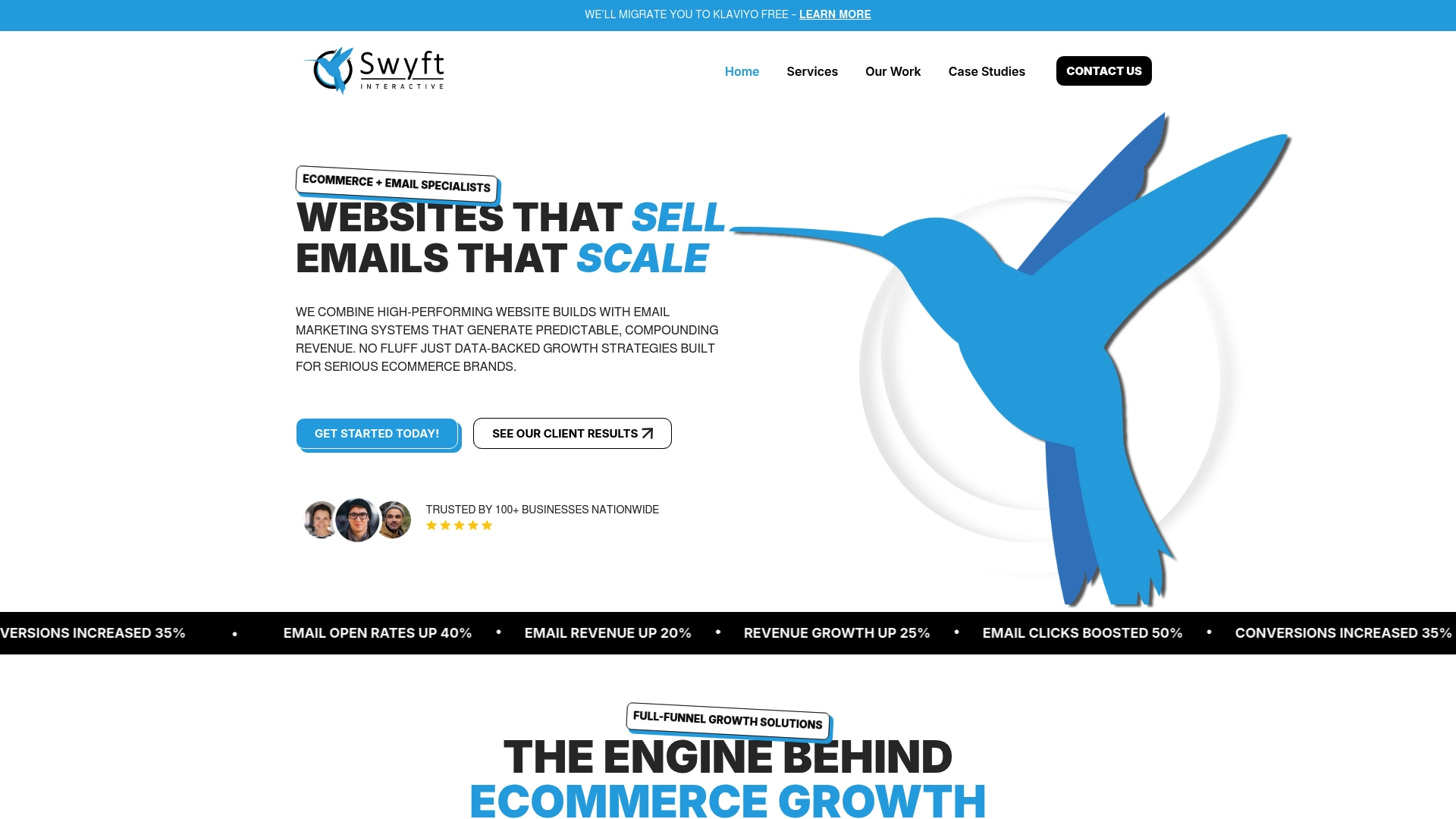
Discover how Swyft Interactive specializes in empowering eCommerce brands through tailored strategies that include customer journey mapping effective segmentation and automated workflows. Start turning the best practices you learned here into measurable results today by exploring our Email Marketing Archives – Swyft Interactive and Digital Strategy Archives – Swyft Interactive. Ready to transform your email marketing program and grow your online sales? Visit Swyft Interactive now to get started.
Frequently Asked Questions
What are some effective ways to segment my email list for eCommerce?
Segment your email list by attributes like purchase history, customer lifecycle stage, and engagement level. Start by grouping subscribers into two or three segments based on their buying behavior, and tailor your messages for each segment.
How can I create compelling subject lines that improve email open rates?
Craft subject lines that emphasize urgency, relevance, and clarity to your audience. For instance, instead of a generic subject like “Spring Sale,” try “Last Chance for 20% Off Spring Styles” to encourage immediate action.
What is the importance of automating customer journeys in email marketing?
Automating customer journeys ensures timely and relevant communication without manual effort, improving engagement and sales. Start by implementing welcome series and abandoned cart recovery workflows to capture more opportunities immediately after customer interactions.
How can I optimize send times for better email engagement?
Optimize send times by analyzing when your subscribers most frequently open their emails, and experiment with different timings. Aim to establish a routine that targets peak engagement periods, which could improve your open rates by 10 to 15%.
What metrics should I monitor to refine my email marketing strategy?
Monitor metrics such as open rates, click-through rates, and conversion rates to assess your email marketing performance. Regularly review these metrics—weekly for basic performance and monthly for deeper trends—to make data-driven adjustments that enhance your strategy.